Affiliate disclosure: As an Amazon Associate, TechVibeSpot earns from qualifying purchases. Some links below are affiliate links, so if you buy through them I may earn a small commission at no extra cost to you. It never changes which lock I recommend.
How we assess: this review is built on Kwikset’s published specs, the CES 2026 launch coverage, Matter and Thread documentation, and how this lock stacks up against the ones I’ve researched in the same price band — not paid placement. Here’s how we review.
TL;DR: The Kwikset Aura Reach is a $189 keypad deadbolt that runs on Matter over Thread plus Bluetooth — and deliberately leaves out Wi-Fi. That’s the whole story in one line: you get a lock that plugs cleanly into Apple Home, Google Home, Alexa, or SmartThings through a hub you probably already own, holds up to 250 codes, keeps a real rekeyable key backup, and doesn’t nag you to sign into another cloud app. If you have a smart-home hub and you’re tired of Wi-Fi locks draining batteries and dropping off the network, buy it. If you have no hub and want to unlock the door from a coffee shop across town, this is the wrong lock and you’ll be annoyed within a week. Updated September 2026.
Key takeaways
- The Kwikset Aura Reach launched at CES 2026 for $189 and is sold in Satin Nickel and Matte Black.
- It speaks Matter over Thread and Bluetooth — so it needs a Thread border router / Matter hub, not Wi-Fi, to be controlled remotely.
- You get up to 250 user codes, temporary guest codes, entry history, tamper and invalid-code alerts, and Bluetooth geofence auto-unlock.
- It keeps Kwikset SmartKey, so there’s a physical key you can rekey yourself in about a minute — a genuinely underrated feature.
- What it drops on purpose: Wi-Fi, UWB, and Apple Home Key. Best for hub-owning households that want reliability over gadgetry.
What the Kwikset Aura Reach actually is
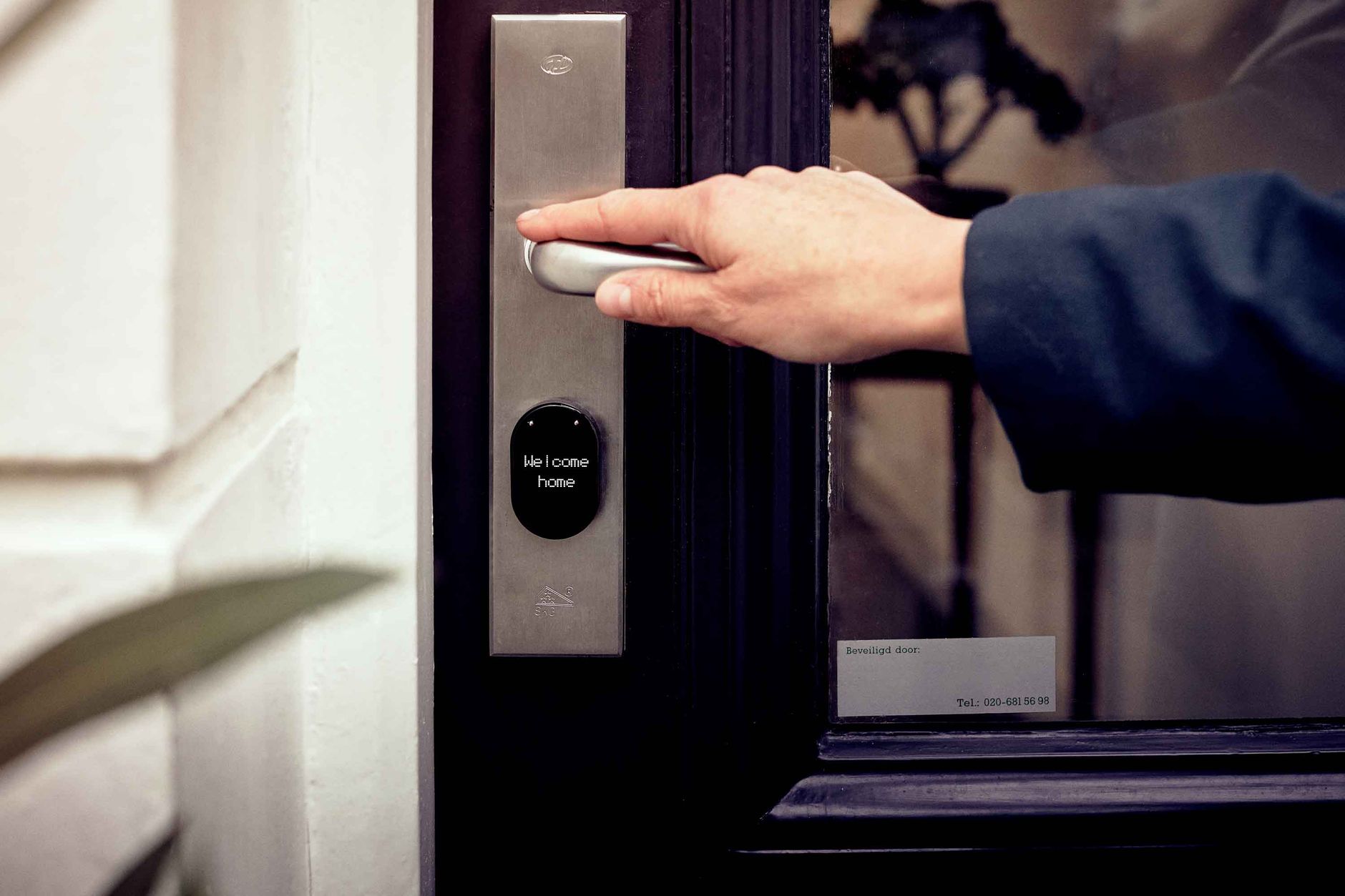
The Kwikset Aura Reach is a keypad deadbolt that Kwikset unveiled at CES in January 2026 and put on sale the same day for $189. Strip away the marketing and it’s a motorized deadbolt with a backlit touch keypad on the outside, a thumbturn on the inside, and a radio inside that talks two languages: Bluetooth for setup and close-range control, and Matter over Thread for talking to the rest of your smart home.
Here’s the part that trips people up, so I’ll say it plainly: the Aura Reach has no Wi-Fi. That is not a defect. It’s the design decision the whole product is built around, and it’s why the lock costs $189 instead of $250-plus. Instead of putting a power-hungry Wi-Fi radio in the lock, Kwikset leans on the low-power Thread mesh that Matter runs on. The trade is simple: you supply a Thread border router (an Apple TV 4K, a HomePod mini, a newer Echo, a Nest Hub, a SmartThings hub — something most smart-home households already have), and in exchange the lock sips battery and joins a network that’s built for exactly this kind of always-on, low-bandwidth device.
If you don’t know what a Thread border router is, that’s the single most important thing to figure out before you buy this lock. I’ll come back to it, because it’s the line between “this was the best $189 I spent this year” and “why won’t this thing connect.”
How does the Kwikset Aura Reach connect without Wi-Fi?
Through Matter over Thread. Thread is a low-power wireless mesh — think of it as a cousin of the Zigbee radios that have run smart bulbs for years, but standardized and folded into Matter. Your Aura Reach joins that mesh and reaches the internet through a Thread border router in your home. Once it’s on, the lock shows up as a native device in whichever platform you use: Apple Home, Google Home, Amazon Alexa, or Samsung SmartThings. You lock and unlock it, hand out codes, and wire it into automations from that app, not from a Kwikset-only cloud.
Bluetooth handles the rest. Initial setup runs over Bluetooth through the Kwikset app, and so does close-range control and the geofence auto-unlock that senses your phone approaching. So even if your hub hiccups, you’re never locked out of your own lock when you’re standing next to it — and of course the keypad and the physical key always work regardless of any radio. One thing to be clear-eyed about: because remote control depends on the Thread mesh and your hub, this is not a “no hub, still works from anywhere” lock. No hub means no remote anything. That’s the deal.
Who this is for
The Aura Reach is a sharp fit for some households and a frustrating one for others. It’s for you if:
- You already run Apple Home, SmartThings, Alexa, or Google Home with a hub in the house. The lock slots in natively and you skip yet another app-and-account.
- You’re burned out on Wi-Fi locks. If you’ve watched a Wi-Fi deadbolt chew through batteries and fall off the network, a Thread lock is the antidote.
- You want a keypad plus a real key. Codes for daily use, SmartKey backup for the day the batteries die at the worst moment.
- You care about matching finishes and a clean look. The fingerprint-resistant matte keypad is a nice touch on a $189 lock.
It’s the wrong lock if you have no smart-home hub and want remote access, if you specifically want Apple Home Key tap-to-unlock (the Aura Reach doesn’t do it), or if you want the hands-free precision of ultra-wideband. For that last group, my roundup of the best UWB smart locks is the better starting point.
Kwikset Aura Reach specs and pricing at a glance
Here’s the lock in a table, current as of September 2026. Prices drift, so confirm the live listing before you buy.
| Spec | Kwikset Aura Reach |
|---|---|
| Price (Sep 2026) | $189 |
| Type | Motorized keypad deadbolt |
| Protocols | Matter over Thread + Bluetooth |
| Wi-Fi | No (by design) |
| Platforms | Apple Home, Google Home, Alexa, SmartThings (via Matter) |
| User codes | Up to 250, plus temporary guest codes |
| Key backup | Yes — Kwikset SmartKey (user-rekeyable) |
| Auto-unlock | Bluetooth geofence + proximity keypad wake |
| Alerts | Entry history, invalid-code and tamper alerts |
| Apple Home Key | No |
| UWB | No |
| Finishes | Satin Nickel, Matte Black |
| Certification | BHMA certified |
Check the current price: Kwikset Aura Reach in Satin Nickel on Amazon or in Matte Black.
The honest point-by-point walkthrough
Here’s what actually matters once this lock is on your door, one point at a time, with a verdict on each.
Connectivity and reliability
This is the reason to buy or skip the Aura Reach, so I’ll spend the most time here. Matter over Thread is, in my read, the right bet for a door lock. Thread is a self-healing mesh built for battery devices, and it doesn’t fight your router for airtime the way a Wi-Fi lock does. In practice that means fewer “device unavailable” moments and longer battery life. The catch is the hard dependency on a Thread border router. Set that up first, confirm it’s working, and the Aura Reach is boringly dependable. Skip that step and you’ll blame the lock for a problem that’s really your network. Verdict: excellent if you have a hub, a non-starter if you don’t. [ADD YOUR EXPERIENCE: which hub did you pair it to, and did it hold the connection over a week?]
The keypad and everyday use
The outside face is a backlit touch keypad with a fingerprint-resistant matte finish that wakes as your hand approaches, so you’re not stabbing at a dark panel at night. Code entry is the daily reality of any keypad lock, and a proximity-wake keypad is the difference between a lock that feels premium and one that feels cheap. Kwikset also builds in anti-tamper behavior and invalid-code alerts, so repeated wrong guesses don’t go unnoticed. Verdict: strong for the price.
Codes, guests, and history
Up to 250 user codes is far more than a household needs and enough for a small office or a rental. Temporary guest codes plus entry history mean you can give the dog walker a code that expires Sunday and actually see that they came at 2 p.m. This is where a keypad smart lock earns its keep over a dumb deadbolt. If short-term rental turnover is your main use, though, weigh it against a Wi-Fi lock that can push codes remotely without a hub — see my best smart locks for Airbnb hosts. Verdict: generous and genuinely useful.
SmartKey and the physical key backup
Kwikset kept SmartKey on this lock, and I’m glad. It means there’s a real keyway as a fallback, and you can rekey it yourself in about a minute with the learn tool instead of paying a locksmith. For a lock with no Wi-Fi and a dependence on batteries, having a fast, owner-controlled physical backup is exactly the right safety net. If key backup is a priority for you generally, I keep a running list in my best smart locks with physical key backup guide. Verdict: a real advantage, don’t overlook it.
Installation
It’s a standard deadbolt swap with a guided setup in the app. If you’ve installed any deadbolt, you can do this with a screwdriver in well under an hour; if you haven’t, the guided flow holds your hand. BHMA certification is a reassuring sign the mechanical side meets a real standard rather than just clearing a marketplace listing. Verdict: genuinely DIY-friendly.
Battery
Here’s where I’ll be honest instead of guessing: Kwikset didn’t publish exact battery figures in the launch materials I’ve seen, so I’m not going to invent a number. What I can say with confidence is that Thread locks generally outlast comparable Wi-Fi locks on the same batteries, because the radio is far less hungry. Expect that class of longevity rather than the monthly-swap misery some Wi-Fi locks are infamous for. Verdict: promising by design, unconfirmed on paper. [ADD YOUR EXPERIENCE: how long did the first set of batteries actually last for you?]

What no one else tells you about the “no Wi-Fi” pitch
The reviews all repeat “the Aura Reach skips Wi-Fi to save money and battery,” and that’s true. But here’s the part that gets glossed over: skipping Wi-Fi quietly moves the cost and the failure point off the lock and onto you. The $189 price is real, but the lock is only as remote-capable as the hub behind it. If you don’t own a Thread border router, the honest all-in price is $189 plus a hub — and suddenly a $250 Wi-Fi lock that works out of the box looks competitive again.
There’s a second thing nobody flags. Matter locks still lean on the platform you pair them to for some of the nicer features, and Matter’s handling of things like rich access logs and per-user notifications has historically been thinner than a manufacturer’s own cloud app. So the “no extra app” benefit is real, but you may find the native Home/SmartThings view of your lock is more basic than what a Wi-Fi lock’s dedicated app shows. For most people that’s a fair trade for reliability. For a data nerd who wants a detailed audit trail, it can be a letdown. Know which one you are before you buy.
Kwikset Aura Reach vs the alternatives
The Aura Reach lives in a crowded $150–$200 keypad-lock bracket. Here’s how I’d line it up against the locks people actually cross-shop it with, as of September 2026.
| Lock | Approx. price | Connectivity | Key backup | Best for |
|---|---|---|---|---|
| Kwikset Aura Reach | $189 | Matter/Thread + BT | SmartKey | Hub households wanting reliability |
| Kwikset Halo Select | ~$200+ | Wi-Fi + Matter | SmartKey | No-hub homes needing remote + Home Key |
| Lockly Affirm | $179.99 | Matter + NFC | Model-dependent | NFC tap fans on a hub |
| Kwikset Aura (Bluetooth) | Under $150 | Bluetooth only | SmartKey | Close-range control, no remote |
| TEEHO TE001 | Under $100 | Keypad only (no smart) | Physical keys | Budget keypad entry, no ecosystem |
Two comparisons are worth spelling out. Against the Kwikset Halo family, the Aura Reach is the “I have a hub” pick and the Halo Select is the “I don’t, and I want Wi-Fi and Home Key baked in” pick. Against the Lockly Affirm, it comes down to whether you want NFC tap-to-unlock (Lockly) or Kwikset’s SmartKey and matte keypad. And if you’re really just after a keypad and don’t care about any ecosystem, the budget pick below will save you real money.
Budget pick under $100: If you want keypad entry without the smart-home layer at all, the TEEHO TE001 keypad deadbolt holds 20 codes, keeps two backup keys, and routinely sells under $100. No app, no hub, no remote — just a code on the door. It’s the honest choice for a spare room, a rental, or anyone who doesn’t want an ecosystem. My full budget smart lock picks cover more options.
Who should buy the Kwikset Aura Reach, and who should skip it
Buy it if you already run a Matter/Thread ecosystem — Apple Home with an Apple TV or HomePod mini, SmartThings, a newer Echo, or a Nest hub — and you want a clean, reliable keypad deadbolt that won’t hammer its batteries or your Wi-Fi. It’s best for the smart-home owner who values fewer apps and steadier connections, and for anyone who’s specifically done with Wi-Fi locks. Grab it in Satin Nickel or Matte Black.
Skip it if you have no hub and want to control the door from anywhere (get a Wi-Fi lock like the Halo Select instead), if you specifically want Apple Home Key tap-to-unlock, or if you want ultra-wideband hands-free precision. Those are real needs the Aura Reach simply doesn’t serve, and it’s cheaper to admit that up front than to buy twice.
The honest limits
I’m not going to oversell this. The real limits, plainly: no Wi-Fi means no remote control without a Thread border router, full stop; no Home Key, so no tapping your iPhone or Watch to the lock; no UWB, so auto-unlock is Bluetooth-geofence grade, not the precise proximity of the priciest locks; the native platform view can be more basic than a dedicated Wi-Fi-lock app; and Kwikset hasn’t published clear battery numbers, so longevity is an educated expectation rather than a spec on a box. None of these are dealbreakers for a hub household. All of them are dealbreakers for a no-hub buyer who wanted a remote lock. Match it to your setup and it’s a smart $189.
The verdict: The Kwikset Aura Reach is the smartest $189 keypad deadbolt you can buy — if, and only if, you already own the hub it quietly depends on.
Frequently asked questions
How much does the Kwikset Aura Reach cost?
The Kwikset Aura Reach launched at $189 at CES in January 2026 and has been selling around that price in Satin Nickel and Matte Black. Prices shift with sales, so check the current listing before buying.
Does the Kwikset Aura Reach have Wi-Fi?
No. The Aura Reach deliberately leaves out Wi-Fi. It uses Matter over Thread plus Bluetooth, which is why it needs a Thread border router or Matter hub for remote control and why it costs less than Kwikset’s Wi-Fi models.
What do I need to use the Kwikset Aura Reach remotely?
A Thread border router in your home, such as an Apple TV 4K, HomePod mini, a newer Amazon Echo, a Google Nest Hub, or a SmartThings hub. Without one, you can still use the keypad, the key, and close-range Bluetooth control, but not remote access.
Does the Kwikset Aura Reach work with Apple Home, Alexa, and Google?
Yes. Because it supports Matter, the Aura Reach works with Apple Home, Amazon Alexa, Google Home, and Samsung SmartThings, and you control it as a native device inside whichever platform you use.
Does the Kwikset Aura Reach support Apple Home Key?
No. It does not support Apple Home Key tap-to-unlock. If tapping your iPhone or Apple Watch to the lock is a must-have, you’ll need a different lock.
How many codes does the Kwikset Aura Reach hold?
Up to 250 user codes managed in the Kwikset app, plus temporary guest codes you can set to expire. That’s more than enough for a household and workable for a small office or rental.
Does the Kwikset Aura Reach have a physical key?
Yes. It keeps Kwikset SmartKey, so there’s a real keyway as a backup and you can rekey it yourself in about a minute with the SmartKey learn tool.
Does the Kwikset Aura Reach have auto-unlock?
Yes, via Bluetooth geofencing that senses your phone approaching, along with a proximity keypad wake. It’s convenient, but it’s Bluetooth-grade rather than the precise ultra-wideband auto-unlock found on higher-end locks.
Is the Kwikset Aura Reach hard to install?
No. It’s a standard deadbolt replacement with a guided setup in the app. Most people can install it with a screwdriver in under an hour, and it’s BHMA certified.
Kwikset Aura Reach vs Halo Select — which should I buy?
Buy the Aura Reach if you already own a Matter/Thread hub and want reliability at $189. Buy the Halo Select if you have no hub and want built-in Wi-Fi for remote control plus Apple Home Key. They target different buyers.
About the author — Naveen Kumar Durai
I’m Naveen, the person behind TechVibeSpot. I research smart locks and home security the boring, thorough way — specs, standards, launch documentation, and real owner reports — so you don’t have to. No hype, just what I’d tell a friend. See how we review.