Affiliate disclosure: this post contains affiliate links. If you buy through them, I may earn a small commission at no extra cost to you. It never changes which lock I recommend.
How we assess: this guide is built from manufacturer specs, current pricing pages, host forums and verified owner reviews — not a paid lab test. See our How We Review process. Last updated September 2026.
TL;DR — the short answer: The best smart lock for most Airbnb hosts in 2026 is the Yale Assure Lock 2 (keypad + Wi-Fi). It talks to Airbnb natively, so a fresh door code is generated for each guest and expires the minute they check out — no app juggling. Want the highest security rating money can buy? Get the Schlage Encode Plus. Running a tight budget? The SMONET Wi-Fi keypad deadbolt does the job for under $90 if you accept a little more manual work. Skip any lock that needs a separate hub unless you already run a smart home.
Key takeaways
- Native Airbnb integration (Yale, Schlage) auto-creates and auto-expires guest codes tied to each booking. That single feature saves hosts the most headaches.
- A keypad matters more than a fingerprint reader for rentals — guests will never enroll a print, but everyone can tap a code.
- Battery life is the real reliability story. Plan to change AAs every 6–12 months and check the level between guests.
- Prices as of September 2026: Yale Assure Lock 2 around $200–$240, Schlage Encode Plus around $280–$300, Ultraloq Bolt around $150, SMONET around $80–$90.
- Wi-Fi failure — not lock failure — causes most “the code won’t work” messages. Have a backup entry plan.
Which smart lock is best for Airbnb in 2026?
If you host on Airbnb, the best smart lock is the one that hands each guest their own code without you lifting a finger, then quietly kills that code at checkout. That’s the whole job. Everything else — fingerprint readers, voice control, fancy finishes — is a bonus. After digging through host forums, manufacturer spec sheets and a pile of owner reviews, my pick for most hosts is the Yale Assure Lock 2 with the keypad and built-in Wi-Fi, because it plugs straight into Airbnb’s reservation system. The Schlage Encode Plus is the one I’d choose if security certification keeps me up at night, and the SMONET keypad deadbolt is the honest budget answer.
I’ll be straight with you: I haven’t bolted every one of these to my own front door. This is a research-led guide, and where a real-world result would help you decide, I’ve flagged it. But the buying logic below is the same logic I’d use spending my own money on a rental I couldn’t drive to at 11pm.
What a smart lock for Airbnb actually is
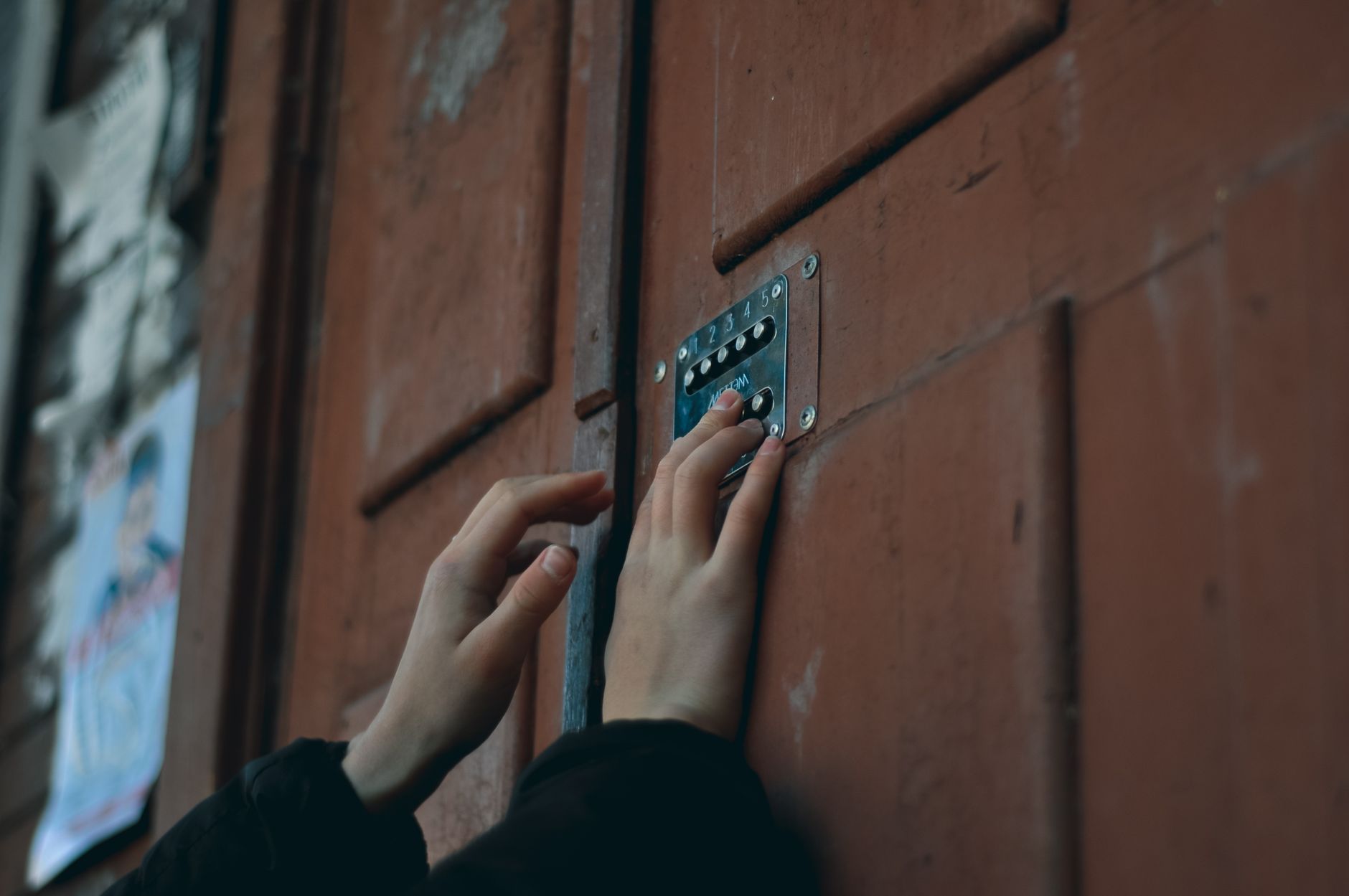
A smart lock is a motorized deadbolt you can control without a physical key — usually through a keypad, an app, or both. For a normal home, that’s a convenience. For a short-term rental, it’s a business tool, and the feature that separates a “smart lock” from a “smart lock for Airbnb” is remote code management: the ability to create a unique entry code for each guest, from anywhere, that turns itself off when they leave.
Two ways that happens. The premium way is native integration: the lock’s app connects to your Airbnb account, reads your calendar, and mints a code for each reservation automatically. The manual way is you opening an app after every booking and typing in a code yourself, then remembering to delete it. Native integration is worth paying for if you host more than a few nights a month. Below that, manual is fine.
The other must-have is Wi-Fi. Bluetooth-only locks force you to be standing at the door to change a code — useless for remote hosting. Some cheaper locks get Wi-Fi through a plug-in bridge (a small box you keep near the door); built-in Wi-Fi is cleaner but costs more.
Who this guide is for
This is for people renting out a whole place, a room, or a guesthouse on Airbnb or Vrbo who are tired of lockboxes, hidden keys, and the “I’m outside and can’t get in” text. It’s also for hosts managing from another city who need to trust the door from a phone. If you just want a smart lock for your own front door, the same picks work — you’ll simply ignore the reservation-sync features. And if your budget is the whole story, I’ve kept a genuine sub-$100 option in the mix.
At-a-glance: the 4 best smart locks for Airbnb (2026)
| Lock | Price (Sep 2026) | Wi-Fi | Native Airbnb codes | Entry methods | Battery | Best for |
|---|---|---|---|---|---|---|
| Yale Assure Lock 2 (Keypad, Wi-Fi) | ~$200–$240 | Built-in | Yes | Keypad, app, key backup | 4× AA, 9–12 mo | Most hosts |
| Schlage Encode Plus | ~$280–$300 | Built-in | Yes | Keypad, app, Apple Home Key, key | 4× AA, 6–12 mo | Security-first hosts |
| Ultraloq Bolt (Wi-Fi) | ~$150 | Built-in | No (manual codes) | Keypad, fingerprint, app, key | 4× AA, 6–8 mo | Value + fingerprint |
| SMONET Wi-Fi Keypad Deadbolt | ~$80–$90 | Via bridge | No (manual/one-time codes) | Keypad, app, fob, key | 4× AA, ~6 mo | Budget hosts |
Prices fluctuate; check the live listing before buying. Verified September 2026.
The picks, walked through honestly
1. Yale Assure Lock 2 (Keypad + Wi-Fi) — best for most hosts
This is the one I’d put on a rental door first. The reason is boring and important: it connects directly to Airbnb, reads your booking calendar, and generates a code for each guest that switches on at check-in and off at checkout. You set it up once and stop thinking about codes. Yale rates it for up to 250 codes, so even a busy listing won’t run out.
What’s good: the keypad is backlit and reads cleanly at night, DoorSense tells you if the door is actually shut (not just locked-into-air), and battery life on four AAs realistically lands in the 9–12 month range. It’s Matter-compatible, so it drops into Apple Home, Google Home or Alexa if you go that route.
What’s not: it’s a Grade 2 lock, not the top Grade 1 tier — fine for residential, but not the fortress the Schlage is. The keypad version I’m recommending has no fingerprint reader, which honestly doesn’t matter for guests but might bug you personally. And the good finishes creep toward $240.
My verdict: the least-drama option for a real Airbnb. If you want native code automation without overthinking it, buy this. Check the Yale Assure Lock 2 price on Amazon →
[ADD YOUR EXPERIENCE: how long did a set of AA batteries actually last on your Yale, and did the Airbnb code sync ever lag behind a same-day booking?]
2. Schlage Encode Plus — best security
The Encode Plus is the lock for hosts who treat the front door as the first line of defense, not a convenience. It carries Schlage’s highest security certification, has built-in Wi-Fi (no hub), and still syncs codes with Airbnb. It also supports Apple Home Key, so you or a returning guest can tap an iPhone or Apple Watch to unlock — a genuinely slick touch for higher-end listings.
What’s good: the build quality is a step up, the touchscreen keypad feels premium, and the security rating is the real deal if your listing is in a city or a ground-floor unit where the door matters. Around 100 codes is plenty for most hosts.
What’s not: it’s the priciest here at roughly $280–$300, the code capacity is lower than Yale’s, and some owners report the Apple ecosystem features are where it shines while the plain Android app experience is merely fine.
My verdict: pay the premium if security certification and Apple Home Key matter to you; otherwise the Yale does the core job for less. See the Schlage Encode Plus on Amazon →
3. Ultraloq Bolt (Wi-Fi) — best value
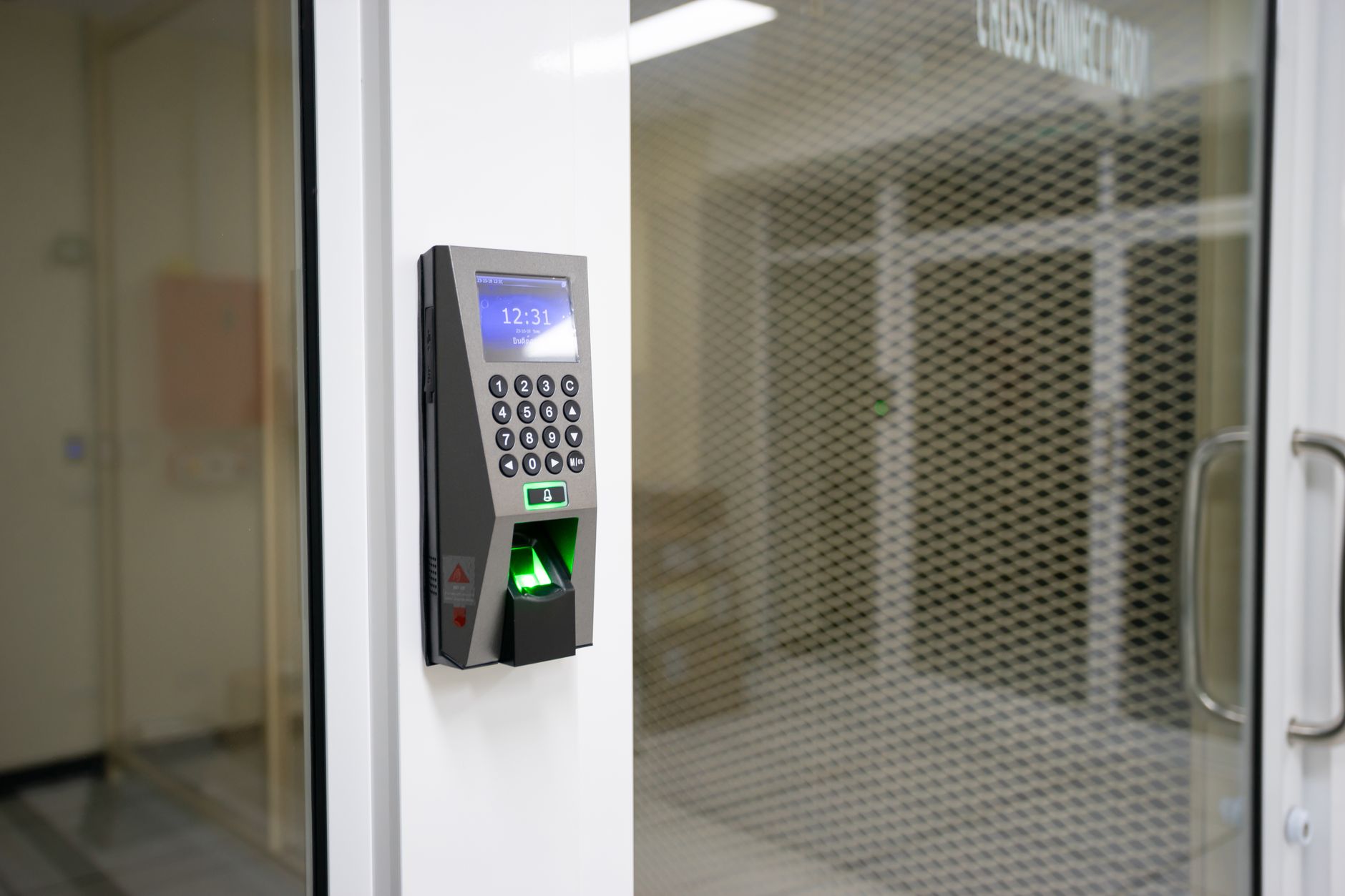
The Ultraloq Bolt is the value play: built-in Wi-Fi, a fingerprint reader, a keypad, app control and a physical key backup, usually around $150. For a personal front door it punches well above its price. The catch for hosts is that it doesn’t do native Airbnb sync — you create and delete codes manually in the U-tec app.
What’s good: the fingerprint reader is fast and handy if you or a cleaner use the place regularly, the app is capable, and it works with Siri, Alexa and Google. No hub required.
What’s not: manual code management gets tedious if you turn over guests constantly, and battery life leans a bit shorter than the Yale under heavy fingerprint/keypad use.
My verdict: a smart buy for a low-turnover listing, a cleaner-and-owner setup, or anyone who wants fingerprint entry without spending Schlage money. View the Ultraloq Bolt on Amazon →
4. SMONET Wi-Fi Keypad Deadbolt — best budget pick (under $100)
If the premium locks are out of budget, the SMONET keypad deadbolt is the honest sub-$100 choice — it’s literally marketed for rentals and Airbnb. You get a touchscreen keypad, app control through a Wi-Fi bridge, one-time and time-limited codes, key-fob and physical-key backup, and Alexa support. It won’t auto-read your Airbnb calendar, but it will let you send a guest a code from your phone before they arrive.
What’s good: the price. Around $80–$90 for a Wi-Fi-capable keypad lock with one-time codes is a lot of function for the money, and installation is standard deadbolt-swap simple.
What’s not: it relies on a plug-in bridge for remote features, the app is more utilitarian than Yale’s or Schlage’s, and long-term reliability varies more across units than the name brands. You’re trading polish for price.
My verdict: the right call for a first rental, a low-stakes listing, or testing whether keyless entry fits your hosting style before spending $250. Check the SMONET lock price on Amazon →
[ADD YOUR EXPERIENCE: did the SMONET bridge hold a stable connection at your property, or did you have to reset it between guests?]
What no one tells you about smart locks for Airbnb
Here’s the part the shiny review roundups skip. Your lock is almost never the thing that fails — your Wi-Fi is. Nearly every “the code doesn’t work” panic text traces back to a dropped router, an ISP hiccup, or a bridge that lost connection, not a broken lock. The lock itself stores the codes locally and keeps working; it’s the remote changes that die when the internet does. So two rules I’d treat as non-negotiable:
First, always keep a physical backup that doesn’t depend on power or Wi-Fi. A well-hidden mechanical key or a small lockbox with a static backup code has saved more bookings than any premium feature. Every lock here keeps a key override — use it. If you want more on this, our guide to smart locks that keep a physical key backup covers the trade-offs.
Second, native Airbnb integration is a convenience, not a safety net. It’s genuinely great for auto-generating codes, but it also means you’re trusting two systems to sync. I still recommend it — just verify the code actually appears in the app for same-day and last-minute bookings, which is exactly where sync sometimes lags. Don’t assume; check the first few times.
And the quiet truth about fingerprint readers: guests will never enroll a fingerprint for a two-night stay. On a rental, the fingerprint sensor is for you and your cleaner, not your guests. Don’t pay a premium for it thinking it’s a guest feature — it isn’t.
Smart lock vs the alternatives
| Option | Remote code changes | Guest experience | Security | Cost |
|---|---|---|---|---|
| Wi-Fi smart lock | Yes, from anywhere | Excellent — tap a code | High (deadbolt + logs) | $80–$300 |
| Mechanical lockbox | No — one shared code | Clunky, key handling | Low (code rarely changes) | $20–$40 |
| Hidden key | No | Risky, easy to lose | Very low | $0 |
| In-person key handoff | N/A | High touch, ties you down | Medium | Your time |
The math is simple. A lockbox is cheaper up front, but a shared code that never changes is the single biggest security hole in short-term rentals — cleaners, past guests and their friends all know it. A Wi-Fi smart lock that rotates codes per stay closes that hole and buys back your evenings. For most hosts it pays for itself in the first booking you don’t have to drive to.
Who should buy — and who should skip
Buy the Yale Assure Lock 2 if you host regularly and want codes handled for you. It’s the best fit for the widest range of listings. Buy the Schlage Encode Plus if your listing’s location makes top-tier security worth $300 or you’re all-in on Apple Home. Buy the Ultraloq Bolt if you want fingerprint entry and great value on a lower-turnover place. Buy the SMONET if you’re testing the waters or every dollar counts.
Skip a smart lock entirely if you host in-person, live on-site and hand over keys anyway, or if your door hardware is non-standard (mortise locks, glass doors, or narrow stiles) — check fit first. And skip any lock that needs a proprietary hub unless you already own that ecosystem; the extra box is another thing to fail. If Alexa control is your priority, our roundup of budget smart locks that work with Alexa is a better starting point, and if you’re set on staying cheap, see the best smart locks under $100.
The honest limits
No smart lock is magic. Batteries die — and they usually die at the worst time, so check levels between guests and keep spares. Wi-Fi and app outages happen; when they do, remote code changes stop until service returns, even though the lock still opens for existing codes. Keypads wear, and on a busy listing the most-pressed digits can start to show, which is a subtle security tell — wipe the keypad and vary code lengths. Extreme cold slows motors and drains batteries faster. And DIY installation, while genuinely easy on standard doors, assumes a standard door; measure your backset and door thickness before ordering. None of this is a dealbreaker, but a host who plans for it never gets caught out.
The one-line verdict: For 2026, put a Yale Assure Lock 2 on the door, keep a hidden key as backup, and you’ve solved 95% of the access headaches that come with hosting on Airbnb.
Frequently asked questions
What is the best smart lock for Airbnb in 2026?
The Yale Assure Lock 2 with keypad and built-in Wi-Fi is the best for most hosts because it integrates natively with Airbnb, auto-generating a unique code for each guest that expires at checkout. For maximum security, the Schlage Encode Plus is the top pick.
Do smart locks integrate directly with Airbnb?
Yes. Yale and Schlage both connect to your Airbnb account and read your reservation calendar, then create and expire guest codes automatically. Locks like the Ultraloq Bolt and SMONET work for hosting but require you to create and delete codes manually in their app.
What’s the best budget smart lock for Airbnb under $100?
The SMONET Wi-Fi keypad deadbolt, around $80–$90 as of September 2026, is the honest budget pick. It supports one-time and time-limited codes through a Wi-Fi bridge and is marketed for rentals, though it lacks native Airbnb calendar sync.
How do guests get in with a smart lock?
Guests receive a numeric code (usually in their Airbnb check-in instructions) and tap it into the keypad to unlock. There’s no key exchange, no lockbox fumbling, and no need for you to be there.
What happens if the Wi-Fi goes down?
Existing codes keep working because they’re stored on the lock itself. What stops is your ability to create or change codes remotely until the connection returns. This is why a physical key backup and a static fallback code are essential.
How long do smart lock batteries last?
Most of these locks run on four AA batteries and last roughly 6–12 months depending on traffic and cold weather. Check the level between guests and always keep spare AAs on hand.
Are smart locks secure enough for rentals?
Yes, when chosen well. Look for a real deadbolt and a recognized security grade — the Schlage Encode Plus carries the highest residential certification. Rotating codes per guest actually makes a rental more secure than a lockbox with one unchanging code.
Can I install a smart lock myself?
On a standard door, yes — it’s usually a screwdriver-only deadbolt swap in 20–30 minutes. Measure your door thickness and backset first, and check for non-standard doors like glass, mortise or narrow-stile designs.
Do I need a hub for these locks?
The Yale, Schlage and Ultraloq picks here have built-in Wi-Fi and need no separate hub. The SMONET uses a small plug-in Wi-Fi bridge. Avoid locks that require a proprietary hub unless you already run that smart-home ecosystem.
Is a fingerprint reader worth it for Airbnb?
Not for guests — they won’t enroll a fingerprint for a short stay. It’s useful for you and your cleaner. Prioritize a reliable keypad and remote code management over fingerprint features for a rental.
Can one lock handle multiple guest codes at once?
Yes. The Yale Assure Lock 2 supports up to about 250 codes and the Schlage Encode Plus around 100, which is far more than typical booking overlap requires.
Smart lock or keypad deadbolt — what’s the difference for hosting?
A keypad deadbolt without Wi-Fi only lets you change codes at the door, which defeats remote hosting. For Airbnb you specifically want a Wi-Fi smart lock. See our comparison of keypad deadbolts under $100 for the offline options.
About the author — Naveen Kumar Durai
I write about smart locks and home security at TechVibeSpot, digging through spec sheets, host forums and owner reviews so you don’t have to. I care about honest picks over hype and I’ll always tell you when the cheaper option is good enough. Here’s how we review.