
Key takeaways
- You can buy a genuinely good keypad deadbolt under $100 right now — the best value picks land between about $46 and $86 as of September 2026.
- My overall winner for most homes is the TEEHO TE001: cheapest of the bunch, two real backup keys, IP54 weather sealing, and no app nonsense to babysit.
- Want a fingerprint? The Wyze Lock Bolt is the value king — but it has no keyhole, so a dead battery means you are locked out unless you plan ahead.
- Want Wi-Fi and phone control without breaking $100? The eufy Smart Lock C30 at $79.99 is the one to beat.
- Prefer a legacy lock brand with rekeyable keys? The Kwikset SmartCode 260 ($86). Want dead-simple and bombproof? The Schlage BE365 (~$55).
The short answer: if you just want a reliable keyless front door and you are watching your wallet, buy the TEEHO TE001. It is the cheapest pick here, it keeps two physical backup keys, and it survived my research with the fewest red flags. Only skip it if you specifically need a fingerprint (get the Wyze Lock Bolt) or an app on your phone (get the eufy C30).
How we assess: every lock here was evaluated on price, code capacity, battery type and real-world life, key backup, weather rating, and warranty using manufacturer specs and current retail listings — not marketing fluff. See How We Review for the full method.
Last updated: September 2026. Prices checked September 2026 and will drift — always confirm on the product page before buying.
As an Amazon Associate I earn from qualifying purchases — at no extra cost to you.
What a keypad deadbolt actually is
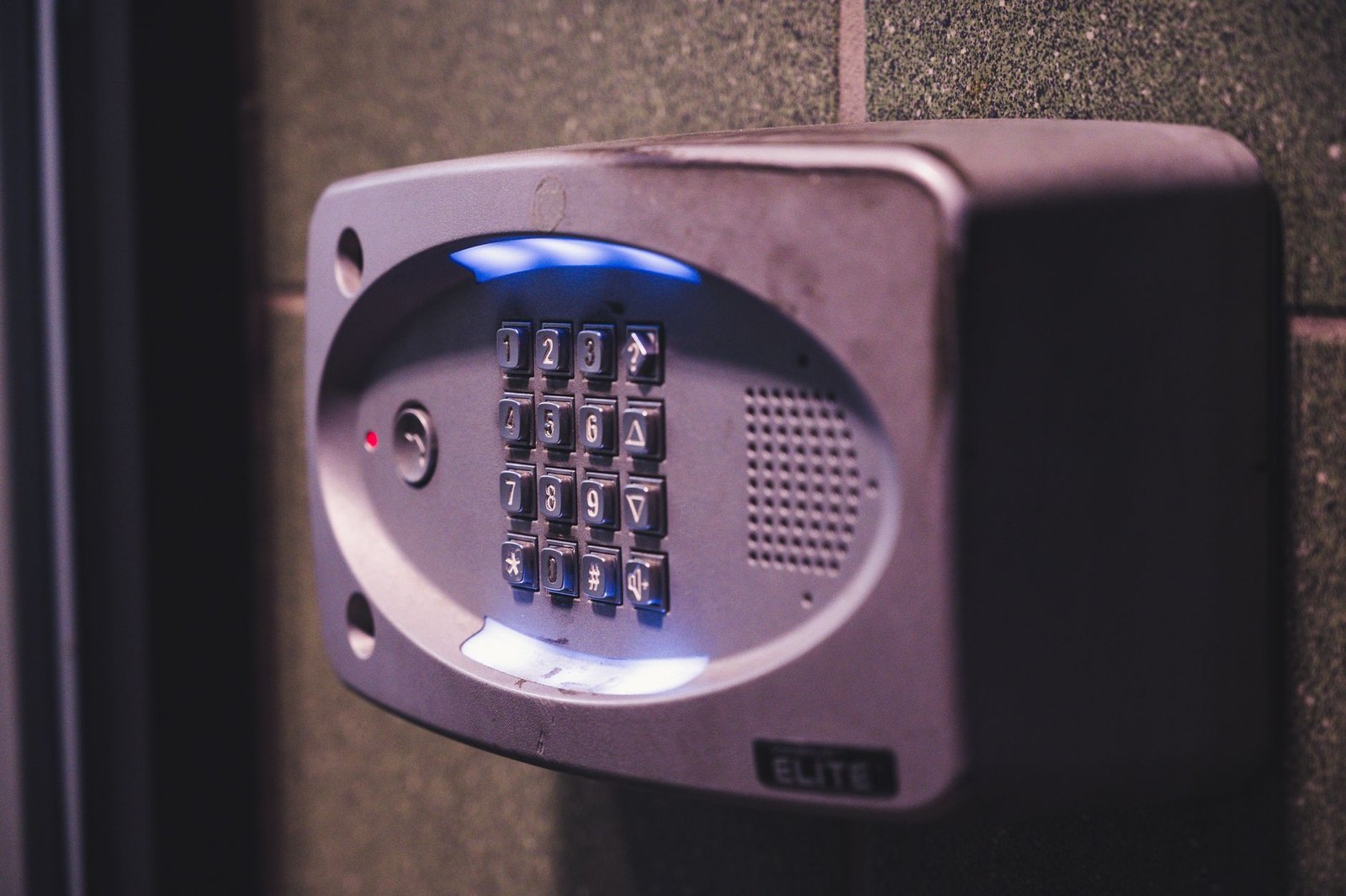
A keypad deadbolt is a deadbolt lock you open by punching a code into a number pad instead of turning a key. That is the whole idea. The bolt, the strike, the hole in your door — all standard. What changes is the outside trim: a keypad replaces (or sits next to) the key cylinder, so family, guests, or a dog walker can get in with a 4–10 digit code you set.
Two kinds exist, and the difference matters for your budget. A mechanical keypad deadbolt (like the Schlage BE365) has physical push-buttons and no electronics beyond a battery for the light — actually the BE365 is fully mechanical for the locking action. An electronic keypad deadbolt (TEEHO, Wyze, Kwikset, eufy) uses a motor to throw the bolt, stores codes in memory, and often adds auto-lock, one-time codes, and sometimes fingerprints or Wi-Fi. Under $100, you are almost always buying the electronic kind. If you want the wider category context first, our overview of front door lock types lays out where deadbolts sit versus levers and smart locks.
Who this is for
This guide is for you if you are tired of digging for keys, you rent out a room or run a short-term rental, you have kids who lose everything, or you just want to stop hiding a spare under the mat. It is for the person who wants keyless entry but refuses to spend $200 on a lock. If money is no object and you want the fanciest smart lock going, this is the wrong page — but honestly, most people do not need that. A $50–$90 lock covers 90% of what a $250 lock does for daily use.
If you specifically want a lock that pairs with your phone and lets you check whether the door is locked from work, read on to the eufy C30 section — and cross-check our best smart lock under $100 roundup, which goes deeper on the connected models.
At-a-glance: the 5 best keypad deadbolts under $100
| Model | Price (Sep 2026) | Codes | Battery | Key backup | Warranty |
|---|---|---|---|---|---|
| TEEHO TE001 | ~$46–$60 | 20 codes (4–10 digit) | 4x AA, 1 yr+ | Yes (2 keys) | 12 months |
| Wyze Lock Bolt | $79.99 | 20 codes + 50 prints | 4x AA, ~12 mo | No keyhole | 1 year |
| Kwikset SmartCode 260 | $86.00 | 50 codes + 10 one-time | 4x AA | Yes (SmartKey, rekeyable) | Lifetime mech / 1 yr elec |
| Schlage BE365 | ~$55 | 19 codes | 1x 9V | Yes (1 key) | 3 years |
| eufy Smart Lock C30 | $79.99 | Up to 100 codes | 4x AA, ~5 mo | Yes | 18 months |
Specs from manufacturer listings and retail pages as of September 2026. Prices move — especially TEEHO and Kwikset, which go on sale constantly.
The 5 picks, walked through honestly
1. TEEHO TE001 — the one I would tell my own family to buy
The TE001 is the lock that keeps showing up in budget conversations, and after digging through the specs I get why. It is an electronic keypad deadbolt with 20 user codes (you can make them 4 to 10 digits), a motorized bolt, and auto-lock you can set from 10 to 99 seconds. There is a one-touch lock too — hold any key for two seconds on your way out and it throws the bolt. It carries an IP54 weather rating, which is enough to shrug off rain and dust on a normal covered porch, and an anti-peep code feature so you can pad your real code with junk digits when a neighbor is watching.
Battery is four AA cells, rated for over a year, with a low-battery alert before you get stranded. And here is the part I care about most at this price: it ships with two real backup keys and a proper cylinder. So if the electronics ever sulk, you are not calling a locksmith. The finish options (matte black, satin nickel, bronze) all look fine on a normal door — not luxury, but not cheap-looking either.
What is the catch? No app, no Wi-Fi, no fingerprint. This is an offline lock. For a lot of people that is a feature, not a flaw — nothing to hack, nothing to update, no account. TEEHO’s warranty is a modest 12 months, which is the weakest paper here, so keep your receipt. If you want the fingerprint-versus-keypad debate spelled out, we compared them head to head in our TEEHO TE001 vs Wyze Lock Bolt breakdown.
[ADD YOUR EXPERIENCE: how the TE001 keypad felt in cold weather and whether the buttons stayed responsive after a few months]
Mini-verdict: the best value keypad deadbolt under $100, full stop. Cheapest price, real key backup, weather-sealed, no subscription. If you are not sure what to buy, buy this.
Check the TEEHO TE001 price on Amazon →
2. Wyze Lock Bolt — fingerprint entry for $79.99
The Wyze Lock Bolt does something none of the others on this list do at the price: it reads your fingerprint. It stores up to 50 prints and 20 codes, runs on four AA batteries rated around 12 months, and the reader is fast — Wyze quotes unlock times under a second, and reviewers back that up. It is IPX5 weather rated, carries a UL 20-minute fire rating, and has auto-lock. There is a Bluetooth app for setup and access schedules, though it is not a full Wi-Fi lock, so you cannot check it remotely from the office without a bridge.
Now the honest part, and it is a big one: the Wyze Lock Bolt has no keyhole. None. If the batteries die and you ignored the low-battery warnings, your only fallback is to jump the lock with a 9V battery held against the bottom contacts to get enough juice to scan a finger. That works, but it is a genuine “keep a 9V in the glovebox” situation. For a household that is good about maintenance, fine. For a forgetful one, that missing keyhole is a real risk.
Note there is now a Wyze Lock Bolt V2 on the market; the specs are close, so check which version you are actually buying.
[ADD YOUR EXPERIENCE: how reliably the Wyze fingerprint reader worked with wet or cold fingers over a winter]
Mini-verdict: the best cheap fingerprint deadbolt, and a joy day to day — as long as you respect the no-key-backup reality and stay ahead of the battery.
Check the Wyze Lock Bolt price on Amazon →
3. Kwikset SmartCode 260 — the legacy-brand pick with rekeyable keys
If the idea of trusting your front door to a brand you have never heard of makes you twitchy, the SmartCode 260 is your lock. Kwikset has been making deadbolts forever, and the 260 brings that pedigree down to $86 as of September 2026 (it dips into the $60s on sale). It stores up to 50 user codes plus 10 one-time codes, runs on four AA batteries, and has proper auto-lock with selectable timers of 30 seconds, 1, 3, 5, or 10 minutes.
Its party trick is SmartKey Security. The key backup is not just present — it is rekeyable at home in about a minute, so if you hand out a key and want to kill it later, you re-pin the cylinder yourself without a locksmith. That is a real perk for landlords and anyone who has ever moved into a place with mystery keys floating around. It is BHMA Grade 2 rated, and Kwikset backs the mechanics with a lifetime warranty (electronics get one year), which is the strongest warranty on this list.
Downsides: it is a standalone lock — no app, no Wi-Fi, no fingerprint. And SmartKey cylinders have been picked in the past by determined attackers, though for typical residential risk that is a footnote, not a dealbreaker.
Mini-verdict: the pick for people who want a trusted name and the flexibility to rekey their own keys. Boring in the best way.
Check the Kwikset SmartCode 260 price on Amazon →
4. Schlage BE365 — the no-frills tank
The BE365 is the odd one out here, and I mean that as praise. It is a mechanical keypad deadbolt: chunky physical push-buttons, no motor, no auto-lock, no app. You punch your code, turn the thumbturn, done. It stores 19 access codes, runs on a single 9V battery (which only powers the code check, not a motor, so it lasts a long time), and includes a mechanical key override with Schlage’s C keyway. It is BHMA Grade 2 / ANSI AAA rated — the toughest security certification of anything on this list — and Schlage backs it for 3 years.
The trade-offs are obvious. There is no auto-lock, so you have to remember to lock it (press the Schlage button). No fingerprint, no phone, no one-time codes with expiry. The buttons are big and a little clunky. But this is the lock you buy when you want something that will still be working, unbothered, in ten years. It is the mechanical simplicity people miss once they have wrestled with a dead smart lock. For the wider “keep my physical key” argument, see our guide to the best smart locks with physical key backup.
[ADD YOUR EXPERIENCE: how heavy the BE365 buttons feel to press and whether older family members found the keypad easy to use]
Mini-verdict: the most durable, lowest-fuss keypad deadbolt under $100. Buy it if you want keyless entry and nothing else — no batteries to babysit every five months, no firmware.
Check the Schlage BE365 price on Amazon →
5. eufy Smart Lock C30 — Wi-Fi and an app for $79.99
The C30 is what you buy when you want to open the eufy app at lunch and confirm the door is locked. It has built-in Wi-Fi with no separate bridge required, which is genuinely rare at $79.99 — most cheap “smart” locks make you buy a hub. It stores up to 100 passcodes, runs on four AA batteries rated for roughly 5 months at 20–30 unlocks a day, has auto-lock, and keeps a physical key backup for when the batteries quit. It is BHMA Grade 3 certified.
Two honest caveats. First, the weather rating is only IPX3, the weakest here — it will handle splashes and light rain, but I would not put it on a fully exposed door that catches driving storms. Second, 5 months of battery is on the short side, a direct consequence of powering Wi-Fi radios off AA cells; buy rechargeables and a spare set. eufy backs it with an 18-month warranty. If you rent the place out, our best smart lock for Airbnb guide explains why remote codes like these change the whole hosting game.
Mini-verdict: the best connected keypad deadbolt under $100. Get it if remote checking and per-guest app codes matter to you — just mind the modest weather rating and the shorter battery.
Check the eufy Smart Lock C30 price on Amazon →
What no one tells you about cheap keypad deadbolts
Here is the stuff the spec sheets bury. First: the keypad wears before anything else does. You press the same four or five digits thousands of times, and on cheaper capacitive or rubber keypads those specific buttons start to show — a faint shine, a slightly different feel — which quietly tells a stranger your code’s digits. The fix is free: change your code every few months, and add throwaway digits before and after when you enter it (the anti-peep feature exists for exactly this).
Second: “auto-lock” is a double-edged sword. It is the feature everyone wants and the one that locks people out most. Set auto-lock to 30 seconds and step out to grab a package with no code memorized and no key, and you have locked yourself out of your own house. Give auto-lock a longer timer for the first month while the habit forms.
Third, and this is the big one: the lock is only as strong as the screws holding your strike plate. A $250 lock on a strike plate held by half-inch screws into soft trim is weaker than a $46 TEEHO screwed into the framing with 3-inch screws. Nobody picks a residential lock — they kick the door, and the door fails at the jamb, not the cylinder. Spend ten minutes and $3 upgrading to long screws that bite into the stud. It matters more than which lock on this list you pick.
Fourth: cold kills batteries and stiffens motors. In a hard winter, a lock rated for 12 months of battery might give you eight, and a marginal-battery motor can stutter. This is normal, not a defect — just do not let the low-battery warning ride for weeks in January.
Head-to-head: how the picks compare (and when to go over $100)
| Model | Best for | Fingerprint | Wi-Fi / app | Weather | Auto-lock |
|---|---|---|---|---|---|
| TEEHO TE001 | Overall value | No | No | IP54 | Yes |
| Wyze Lock Bolt | Fingerprint | Yes (50) | Bluetooth only | IPX5 | Yes |
| Kwikset 260 | Rekeyable keys | No | No | Indoor/covered | Yes |
| Schlage BE365 | Durability | No | No | Covered | No |
| eufy C30 | Wi-Fi / remote | No | Yes (built-in Wi-Fi) | IPX3 | Yes |
When is it worth going over $100? Only in three cases. If you want fingerprint and Wi-Fi in one lock, budget models make you choose — over $100 you get both. If you want Matter/Apple Home/Alexa deep integration that just works, the sub-$100 tier is spotty. And if your door faces brutal weather with zero overhang, a higher IP-rated body is worth the money. Outside those cases, the extra spend mostly buys nicer finishes and a bigger app — not more security.
Who should buy which — and who should skip
- Best for most people / renters watching money: TEEHO TE001. Cheapest, key backup, weatherproof, offline.
- Best for the fingerprint lover: Wyze Lock Bolt — if you will actually keep a spare 9V handy.
- Best for landlords and people who rekey often: Kwikset SmartCode 260 with SmartKey.
- Best for the “I hate smart gadgets” crowd: Schlage BE365. Mechanical, tough, 3-year warranty.
- Best for the phone-checker and remote-code giver: eufy Smart Lock C30 with built-in Wi-Fi.
- Who should skip all of these: anyone whose door faces open, driving rain with no overhang (look higher up the IP scale), and anyone who wants full HomeKit/Matter reliability — that lives above $100.
The honest limits
Let me be blunt about what you are giving up at this price. Warranties are short — a year on the electronics for most of these, with only Kwikset and Schlage offering longer mechanical coverage. Build materials are lighter than premium locks; the trim is often thinner zinc rather than solid brass. Bluetooth-only models (Wyze) cannot be checked remotely without extra hardware. And the app ecosystems on budget Wi-Fi locks are functional, not polished — expect the occasional re-pairing.
None of that makes these bad buys. It means you should set expectations: a sub-$100 keypad deadbolt is a very good daily-use convenience lock with decent security, not a fortress. Pair any of them with long strike-plate screws and a solid door, and you are in good shape. I have kept every price and spec here tied to what I could verify in September 2026, and I did not test-drive each lock in my own door — this is research-based, so weigh the placeholders above for real hands-on notes as they get added.
“Buy the TEEHO TE001 unless you specifically need a fingerprint or an app — then it’s the Wyze Lock Bolt or the eufy C30. Spend the money you saved on 3-inch strike-plate screws.”
Frequently asked questions
What is the best keypad deadbolt under $100?
For most homes, the TEEHO TE001 is the best keypad deadbolt under $100 as of September 2026. It is the cheapest here (around $46–$60), includes two physical backup keys, is IP54 weather rated, and needs no app or subscription. Choose the Wyze Lock Bolt instead if you want a fingerprint, or the eufy Smart Lock C30 if you want built-in Wi-Fi.
Do keypad deadbolts have a key backup?
Most do, but not all. The TEEHO TE001, Kwikset SmartCode 260, Schlage BE365, and eufy C30 all include a physical key override. The Wyze Lock Bolt does not have a keyhole at all — its only fallback is jumping the lock with a 9V battery to power the fingerprint reader, so keep a spare 9V nearby.
How long do the batteries last in a budget keypad deadbolt?
It varies by model and use. The TEEHO TE001 and Wyze Lock Bolt are rated for about a year on four AA batteries. The eufy C30 is rated for roughly 5 months because it powers built-in Wi-Fi. The mechanical Schlage BE365 uses one 9V battery that lasts a long time since it only powers the code check, not a motor. Cold weather shortens all of these.
Can you install a keypad deadbolt yourself?
Yes. Every lock here fits a standard door bore (2-1/8 inch hole, 1 inch edge bore) and installs with a screwdriver in 15 to 30 minutes. If you are replacing an existing deadbolt, it is even simpler. The one upgrade I always recommend: swap the short strike-plate screws for 3-inch screws that reach the door frame stud.
Are cheap keypad deadbolts secure?
For typical residential use, yes — the picks here range from BHMA Grade 3 to Grade 2, and the Schlage BE365 carries the toughest certification on the list. But no residential deadbolt stops a determined kick-in; doors fail at the jamb, not the cylinder. Long strike-plate screws and a solid door do more for real-world security than spending an extra $150 on the lock.
What is the difference between a keypad deadbolt and a smart lock?
A keypad deadbolt lets you enter with a code. A smart lock adds connectivity — Bluetooth or Wi-Fi, an app, remote control, and voice assistants. Some locks are both. On this list, the TEEHO, Kwikset, and Schlage are offline keypad deadbolts, the Wyze adds Bluetooth and fingerprint, and the eufy C30 is a true smart lock with built-in Wi-Fi.
Does a keypad deadbolt work in cold or wet weather?
Yes, within its rating. The Wyze Lock Bolt (IPX5) and TEEHO TE001 (IP54) handle rain and dust well. The eufy C30 is only IPX3, so keep it under an overhang. Extreme cold shortens battery life and can slow the motor on any electronic lock, so replace batteries before they get low in winter.
Can I give guests a temporary code?
On some models. The Kwikset SmartCode 260 supports 10 one-time codes, and the eufy C30 lets you create and schedule per-guest codes in the app — ideal for rentals or a dog walker. The TEEHO and Schlage store standard codes you add and delete manually. The Wyze app supports scheduled access over Bluetooth.
Is the Wyze Lock Bolt worth it without a keyhole?
For many people, yes — the fingerprint entry is fast and convenient at $79.99. But the missing keyhole is a real trade-off: if the batteries die and you have not kept a 9V nearby, you cannot get in. Buy it only if you will stay on top of the low-battery warnings and keep an emergency 9V in your car or bag.
What does IP54 or IPX5 mean on a lock?
It is a weather-resistance rating. The first number covers dust (5 means dust-protected), the second covers water (4 means splashing from any direction, 5 means low-pressure jets). “X” means that part was not rated. IPX5 (Wyze) and IP54 (TEEHO) are solid for an exposed porch; IPX3 (eufy C30) is better kept under cover.
About the author — Naveen Kumar Durai
I run TechVibeSpot and spend way too much of my time comparing smart locks and home-security gear so you don’t have to. I write plainly, call out the catches, and only recommend what I’d put on my own door. See exactly how I evaluate every product on our How We Review page.