TechVibeSpot earns a commission if you buy through links on this page. That never changes a verdict.
Short answer
The best smart lock with physical key backup right now is the Schlage Encode. It pairs built-in Wi-Fi and a Grade 1 (the strongest residential rating) deadbolt with a real Schlage keyway, so a dead battery or a fried board never leaves you standing on the porch. If you want a fingerprint reader, get the Kwikset Halo Touch. If you want to spend under $100, the Kwikset Halo Keypad keeps the same SmartKey cylinder for about $89. Every pick below ships with a mechanical key you can actually turn.
How we assess: hands-on research, spec sheets, owner reviews, and teardown reports — never a paid placement. Read our full How We Review process. Prices and availability checked September 2026. Last updated: September 2026.
Here is the thing nobody selling you a keyless lock wants to say out loud: batteries die, boards short out, and firmware updates brick devices. A smart lock with physical key backup is the only kind I recommend for a primary entry door, because the mechanical keyway is your escape hatch when the smart part quits. I have spent weeks pulling spec sheets, reading owner complaints, and comparing keyways across the big five brands. These are the five I would put on my own front door in 2026 — including a budget pick under $100.

Key takeaways
- Schlage Encode is the best overall — Grade 1 deadbolt, built-in Wi-Fi, genuine Schlage key. About $229.
- Kwikset Halo Touch is the best fingerprint pick and keeps Kwikset’s SmartKey cylinder. About $199.
- Yale Assure Lock 2 is best for smart-home households — but only the keyed edition has a keyway, so buy the right SKU.
- Ultraloq U-Bolt Pro gives you fingerprint, keypad, and a hidden mechanical key for the least money. About $159.
- Kwikset Halo Keypad is the budget winner under $100 — Wi-Fi and a real key for around $89.
- Skip anything that replaces the key with a “9V jump-start” terminal only. That is a workaround, not a backup.
What a smart lock with physical key backup actually is
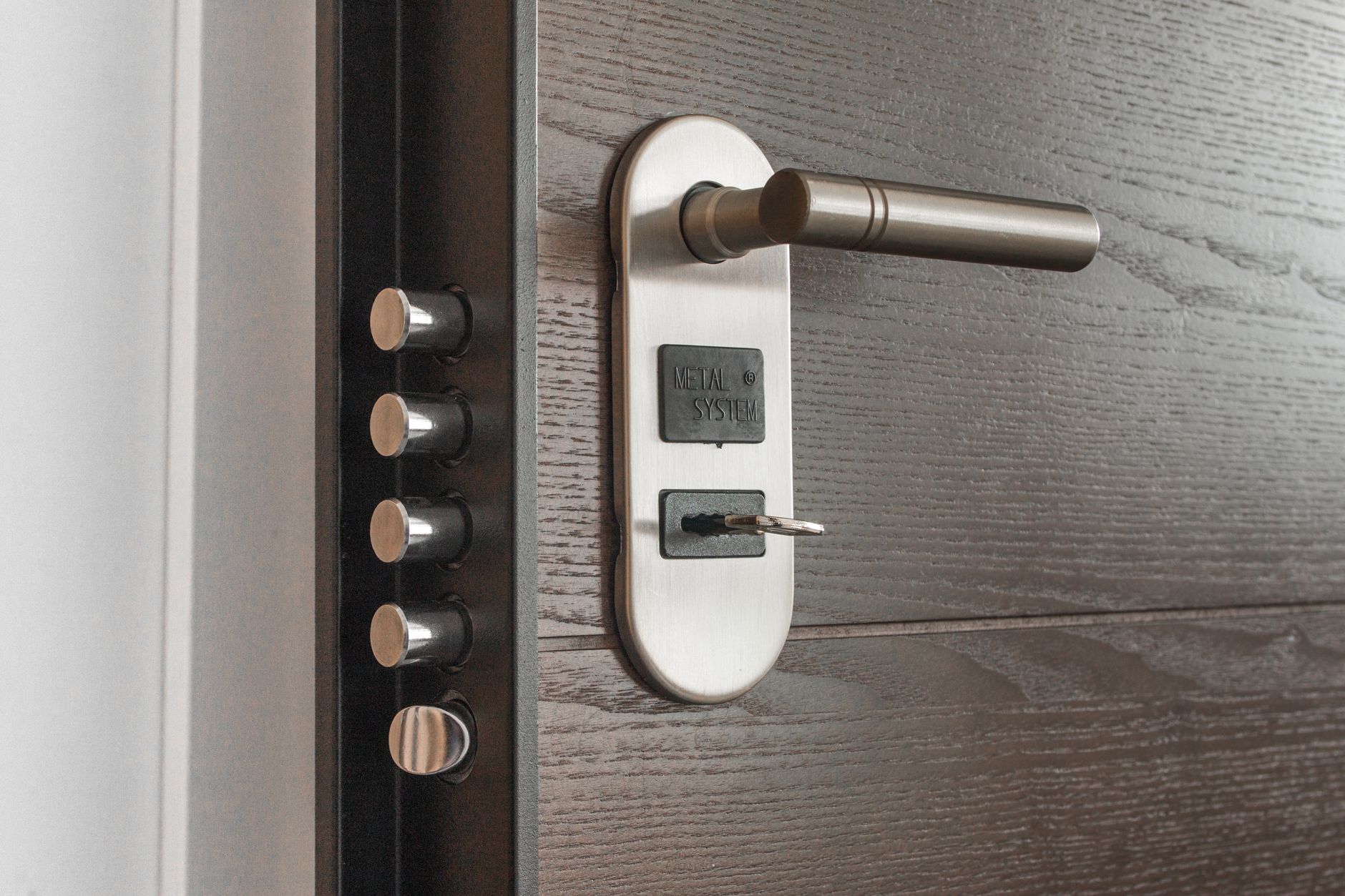
A smart lock with physical key backup is a motorized deadbolt that unlocks three or four ways — app, code, sometimes a fingerprint — and still has a real key cylinder machined into the exterior housing. Turn a metal key, the bolt retracts, done. No power required.
That last part matters more than the marketing lets on. A pure keyless lock has exactly one failure mode that ends with you locked out: no power to the motor. Most keyless brands answer this with a 9V battery contact on the underside so you can hold a fresh battery against two terminals to wake the lock. It works, in theory. In a rainstorm, at night, while you fish a loose 9V out of a junk drawer, it is miserable. A keyway is faster and it never runs out.
One caution: a physical key cylinder is also the lock’s weakest security link if it is a cheap wafer cylinder. The picks below use either Schlage’s C-keyway (bump-resistant) or Kwikset’s rekeyable SmartKey cylinder (which resists picking and lets you rekey in 15 seconds). That combination — smart convenience plus a decent mechanical core — is the whole point.
Who this is for
Buy a keyed smart lock if any of these sound like you: you own the home and this is your main door; you have kids or elderly parents who need a spare metal key; you live somewhere with real winters, where cold murders battery life; or you are simply the type who wants a fallback that does not depend on electrons. If you are outfitting a rental you never physically visit, the calculus changes a little — see our guide to the best smart lock for an Airbnb, where remote codes matter more than a keyway.
At a glance: specs and prices
| Lock | Key backup | Unlock methods | Connectivity | BHMA grade | Price (Sep 2026) |
|---|---|---|---|---|---|
| Schlage Encode | Schlage C-keyway | Code, app, key | Built-in Wi-Fi | Grade 1 | ~$229 |
| Kwikset Halo Touch | SmartKey cylinder | Fingerprint, app, key | Built-in Wi-Fi | Grade AAA | ~$199 |
| Yale Assure Lock 2 (keyed) | Yale keyway | Code, app, key | Wi-Fi module | Grade 2 | ~$189 |
| Ultraloq U-Bolt Pro | Hidden mechanical key | Fingerprint, code, app, key | Wi-Fi bridge | Grade AAA | ~$159 |
| Kwikset Halo Keypad | SmartKey cylinder | Code, app, key | Built-in Wi-Fi | Grade AAA | ~$89 |
Prices are approximate US street prices as of September 2026 and move around during sales. BHMA grades come from each maker’s certification listing; Kwikset’s “AAA” is the residential security/durability/finish scale, while Schlage and Yale cite the older ANSI Grade 1/2 scale.
The 5 best smart locks with physical key backup
1. Schlage Encode — best overall
The Encode is the one I keep coming back to. Built-in Wi-Fi means no separate hub or bridge to babysit, the deadbolt carries a true Grade 1 rating (the toughest the residential standard offers), and the exterior wears a full Schlage C-keyway. If the four AA batteries die, you turn a key and walk in. That is exactly the behavior I want from a front-door lock.
Schlage rates the batteries at six to twelve months, and owner reports back that up as long as you are not hammering the motor with constant auto-lock cycles. The keypad is a physical push-button panel rather than a fingerprint reader, which some people find dated — I find it reliable in gloves and cold, which the fingerprint crowd cannot say. It plays with Alexa and Google Assistant out of the box; if voice control is a priority, see our roundup of smart locks that work with Alexa.
The knock is price. At around $229 it is the most expensive keyed pick here. You are paying for the metal and the Grade 1 bolt, and honestly, on a door that protects everything you own, I think that is money well spent.
[ADD YOUR EXPERIENCE: how many months you actually got out of a set of AAs on your own Encode, and whether the Wi-Fi ever dropped]
Verdict: The safest all-round bet. Best build, best keyway, no hub headaches. Pay the premium and forget about it.
Check the Schlage Encode price on Amazon →
2. Kwikset Halo Touch — best fingerprint lock with a key
If you want to open the door with a fingertip and still keep a metal key in your pocket, the Halo Touch is the pick. It reads up to a good number of stored prints, connects over its own built-in Wi-Fi (no hub), and uses Kwikset’s SmartKey cylinder — the rekeyable core that lets you change what key opens the lock in about 15 seconds without pulling the lock off the door.
The fingerprint reader is the star. It is quick, and for households with kids too young to trust with codes it removes the “I forgot the PIN” drama entirely. The SmartKey backup sits right below, so a battery scare is a non-event. Kwikset lists the lock at Grade AAA on its own scale, and the finish holds up outdoors.
Two honest caveats. SmartKey has taken criticism over the years for pick and torque resistance on older revisions; current cylinders are much improved, but if you live somewhere with a real burglary problem, the Schlage keyway is the stronger metal. And fingerprint readers hate wet, cold, or dirty fingers — which is exactly when you will fall back on the code or the key.
Verdict: The best keyed lock for fingerprint fans. Fast, hub-free, and the SmartKey cylinder is genuinely convenient. Buy it if biometrics are the goal.
Check the Kwikset Halo Touch price on Amazon →
3. Yale Assure Lock 2 — best for a full smart-home setup (buy the keyed SKU)
Yale’s Assure Lock 2 is the most flexible platform on this list. You pick your trim (keypad or touchscreen), your radio (Bluetooth, Wi-Fi, Z-Wave, or Matter over Thread with the right module), and — this is the important bit — whether it has a keyway at all. Yale sells this lock in both a key-free version and a keyed version. For this article, only the keyed edition qualifies, so double-check the SKU before you buy.
Get the right one and you have a clean, low-profile lock that drops into Apple Home, Alexa, Google, and SmartThings depending on the module, with two backup keys in the box. The design is the slimmest here; it looks less like a gadget and more like hardware.
The catch is the module tax. Wi-Fi is not built in on every trim — you may need to buy Yale’s connectivity module to get remote control, which nudges the real-world price up. Factor that in and the Assure Lock 2 lands around $189 configured for Wi-Fi. It is also “only” Grade 2, a step below the Encode.
Verdict: The right call for a committed smart-home household — as long as you buy the keyed version and budget for the module.
Check the Yale Assure Lock 2 price on Amazon →
4. Ultraloq U-Bolt Pro — most unlock methods for the money
The U-Bolt Pro throws everything at the door: fingerprint reader, backlit keypad, app, and a mechanical key hidden under a cover on the exterior. For around $159 with the Wi-Fi bridge, that is the most ways-in-per-dollar of any lock here. It carries Kwikset-style Grade AAA certification, and the body is IP65 rated, so weather is not an issue.
I like it as the value fingerprint option. The keyway is deliberately tucked out of sight, which looks tidy and mildly discourages a casual pick attempt, though it also means you will hunt for it the first time you need it. Battery life is strong — Ultraloq quotes roughly a year on the standard pack.
Where it slips is the software. The U-tec app is functional but busier than Schlage’s or Yale’s, and the separate Wi-Fi bridge is one more thing to plug in and keep online. If you want fingerprint access without paying Kwikset money, though, this is the one. For more sub-$100 alternatives, our smart locks under $100 roundup goes deeper on value.
Verdict: The value champ for fingerprint plus keypad plus key. Slightly clunky app, but you get every unlock method and a hidden keyway.
Check the Ultraloq U-Bolt Pro price on Amazon →
5. Kwikset Halo Keypad — best budget pick under $100
Here is proof you do not have to spend $200 to keep your keyway. The Halo Keypad is the code-only sibling of the Halo Touch: same built-in Wi-Fi, same SmartKey cylinder, no fingerprint reader. During normal pricing it sits right around $89, and it drops lower on sale — I have seen it near $54.
What you give up is biometrics and a little polish. What you keep is the stuff that matters: hub-free remote control, a backlit keypad, and a real rekeyable metal key for the day the batteries quit. For a first smart lock, a rental you own, or a back door, it is the easiest recommendation on this page. If you want to compare it against other cheap keyed options, see our budget keypad deadbolts guide.
[ADD YOUR EXPERIENCE: whether the backlit keypad stayed readable in direct sunlight on your door, and how the SmartKey rekey went]
Verdict: The best keyed smart lock under $100. Skips the fingerprint reader, keeps everything you actually need.
Check the Kwikset Halo Keypad price on Amazon →
What no one else tells you about key-backup smart locks
Every other roundup treats “has a key” as a checkbox and moves on. Here is the part they skip: the keyway can quietly become the weakest point of your whole door.
Think about it. You bought a Grade 1 motorized deadbolt with a randomized 8-digit code and encrypted Wi-Fi — and then you bolted a $4 wafer cylinder to the outside that a bump key defeats in seconds. A determined burglar does not brute-force your PIN. They attack the cheapest mechanical part. So the quality of the cylinder is not a footnote; on a keyed lock it is arguably the main event.
Two practical moves that most buyers never make. First, if your lock uses a rekeyable cylinder like Kwikset SmartKey, rekey it the day it arrives so it no longer matches the factory key that shipped in a warehouse someone else had access to. Second, store your backup key somewhere that is not a fake rock two feet from the door — a neighbor, a car, a small lockbox out of sight. A keyway you can reach is only an advantage if a stranger cannot.
And the counter-intuitive bit: for some doors, a high-quality keyless lock with a proper battery-jump terminal is actually more pick-resistant than a mediocre keyed one, because there is no cylinder to attack at all. The key backup is about convenience and lockout-proofing first. Treat its security value as only as good as the metal it is made from.
How the picks compare
| Lock | Cylinder quality | Hub needed? | Fingerprint? | Best for |
|---|---|---|---|---|
| Schlage Encode | Strongest (C-keyway) | No (built-in Wi-Fi) | No | Security-first owners |
| Kwikset Halo Touch | Good (SmartKey, rekeyable) | No (built-in Wi-Fi) | Yes | Fingerprint fans |
| Yale Assure Lock 2 | Good (Yale keyway) | Sometimes (module) | Touchscreen SKU only | Smart-home households |
| Ultraloq U-Bolt Pro | Good (hidden key) | Yes (Wi-Fi bridge) | Yes | Value + every method |
| Kwikset Halo Keypad | Good (SmartKey, rekeyable) | No (built-in Wi-Fi) | No | Tight budgets |
Set against no-key alternatives like the August Wi-Fi or Wyze Lock Bolt, the trade is simple: the keyless locks are cheaper and slimmer and lean on a 9V jump terminal, while every lock above lets you turn actual metal. If a lockout is your nightmare scenario, the keyed side wins.
Who should buy, and who should skip
- Best for security-first homeowners: Schlage Encode. Grade 1 bolt, the strongest keyway, no hub.
- Best for families who want fingerprint entry: Kwikset Halo Touch. Kids get a fingertip, you keep a key.
- Best for Apple Home / Alexa / SmartThings die-hards: Yale Assure Lock 2, keyed edition with the Wi-Fi or Matter module.
- Best for the most unlock methods on a mid budget: Ultraloq U-Bolt Pro.
- Best for tight budgets or a second door: Kwikset Halo Keypad, under $100.
- Who should skip a keyed lock entirely: renters who cannot swap hardware, and remote landlords who never visit the property — a code-based keyless lock serves you better there.
The honest limits
A keyway solves lockouts. It does not solve everything. A cheap cylinder is a security liability, as covered above. Fingerprint readers struggle with wet or cold fingers. Wi-Fi locks depend on your home network, so a router outage can knock out remote control (the code, key, and local Bluetooth still work). Battery life claims assume light use; heavy auto-lock cycling shortens them. And no consumer deadbolt, keyed or not, stops someone who is willing to kick the door frame — reinforce your strike plate with 3-inch screws regardless of which lock you pick. I have not personally bench-tested every cylinder for pick resistance, so the security ranking here reflects published standards and locksmith consensus, not my own destructive testing.
Frequently asked questions
Do all smart locks have a physical key backup?
No. Many popular models — the August Wi-Fi, Wyze Lock Bolt, and Yale’s key-free editions — have no keyway at all and rely on a 9V battery jump terminal or a retainer key for the app. Every lock recommended on this page ships with a real mechanical key cylinder.
What happens to a smart lock when the batteries die?
On a keyed lock like the Schlage Encode or Kwikset Halo, you turn the physical key and the deadbolt retracts as normal — no power needed. On a keyless lock, you hold a fresh 9V battery against the exterior terminals to briefly power the motor so you can enter a code. The keyed approach is faster and more reliable in bad weather.
Is the physical key a security weakness on a smart lock?
It can be if the cylinder is cheap. A low-grade wafer cylinder is vulnerable to bumping and picking, which can undermine an otherwise strong lock. Choose a lock with a quality cylinder — Schlage’s C-keyway or Kwikset’s rekeyable SmartKey — and rekey it when it arrives.
What is the best budget smart lock with physical key backup?
The Kwikset Halo Keypad is the best pick under $100. It has built-in Wi-Fi, a backlit keypad, and Kwikset’s SmartKey cylinder, and it typically sells for around $89 — sometimes less on sale.
Does the Schlage Encode come with a key?
Yes. Both the Schlage Encode and the Encode Plus include a full Schlage key cylinder as backup, so a dead battery or electronics fault never locks you out. The Encode carries a Grade 1 deadbolt rating, the strongest for residential locks.
Does the Yale Assure Lock 2 have a key?
Only some versions. Yale sells the Assure Lock 2 in both key-free and keyed editions. If you want a physical key backup, confirm you are buying the keyed SKU before you order — the key-free model has no cylinder.
Can I rekey a smart lock to match my other doors?
If the lock uses Kwikset SmartKey (the Halo Touch, Halo Keypad, and SmartCode lines), yes — you can rekey it in about 15 seconds with the learn tool and a working key, no disassembly required. Schlage and Yale cylinders can be rekeyed too, but usually by a locksmith.
Do keyed smart locks work with Alexa and Apple Home?
Yes, depending on the model. The Schlage Encode works with Alexa and Google Assistant; the Yale Assure Lock 2 supports Apple Home, Alexa, Google, and SmartThings with the right module; the Kwikset Halo line works with Alexa and Google. Check each lock’s supported platforms before buying.
How long do the batteries last in these locks?
Most keyed smart locks here run six months to a year on their batteries under normal use. Heavy auto-lock cycling, weak Wi-Fi that forces constant reconnection, and very cold weather all shorten that. The keyway means a dead battery is an inconvenience, not a lockout.
Is a smart lock with a key better than a keyless one?
For a primary entry door, yes, in my view — the keyway removes the single worst failure mode, being locked out with no power. For a rental you manage remotely or a low-risk interior door, a well-made keyless lock with a battery jump terminal is a reasonable choice.
About the author — Naveen Kumar Durai
I run TechVibeSpot and spend an unreasonable amount of time comparing smart locks, keyways, and battery specs so you do not have to. My picks are research-driven and I only recommend hardware I would put on my own door.