Smart locks can feel like a black box – you tap or touch and the door opens. Under the surface it is simpler than it looks: a small motor, a few ways to prove who you are, and a radio to talk to your phone or home. Understanding how each part works makes it far easier to choose a lock, install it, and trust it with your front door. This explainer breaks down every piece in plain language. Written for August 2026.
How we assess: this guide is based on manufacturer documentation, published security standards, and verified owner reports.
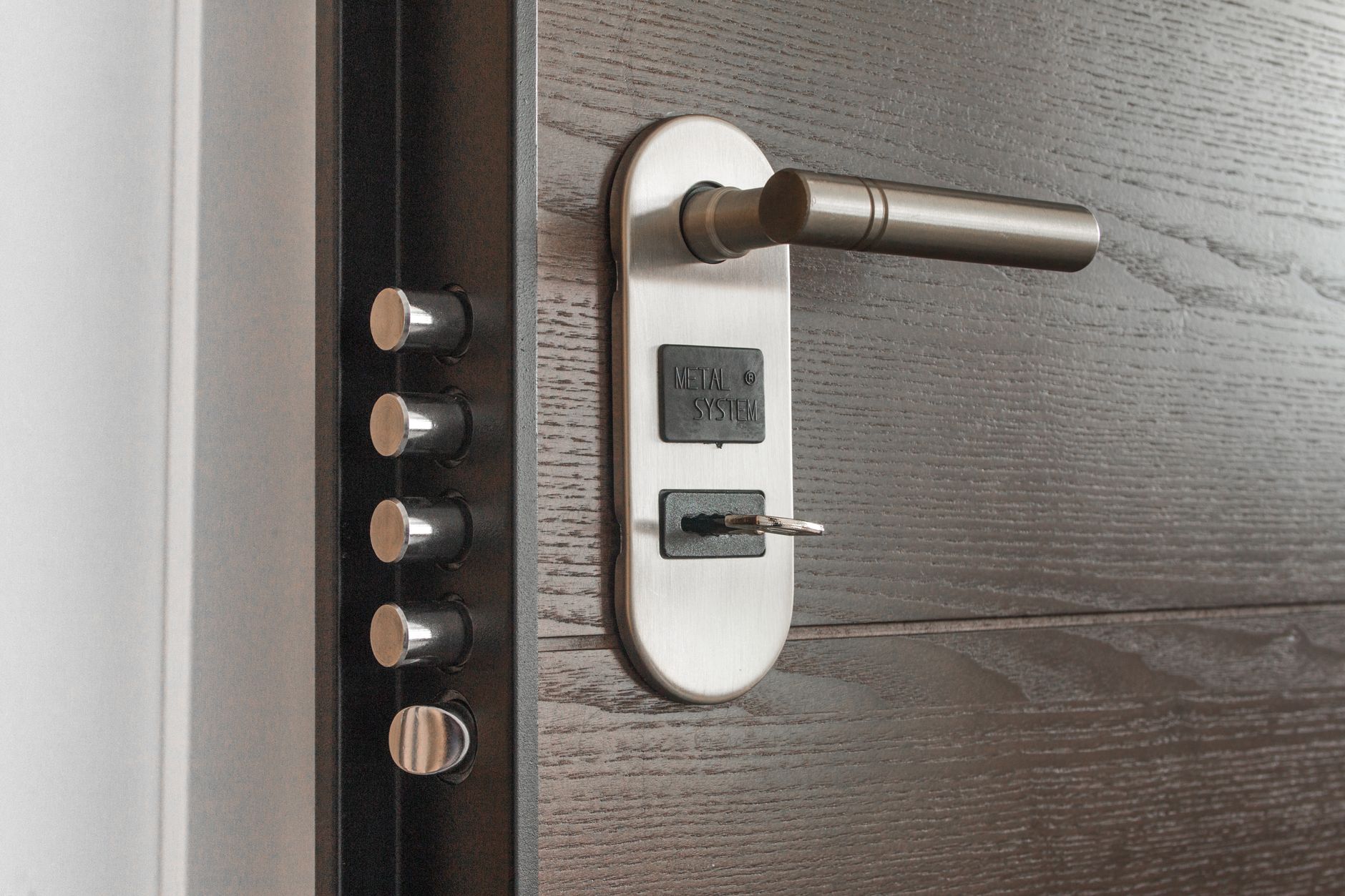
How do smart locks work? A smart lock replaces or covers your deadbolt with a battery-powered motor that throws the bolt when it verifies an authorised credential – a code, fingerprint, phone, or key. It talks to your phone over Bluetooth, and optionally to the internet over Wi-Fi or a hub, so you can lock, unlock, and get alerts remotely.
The core: a motor that moves the bolt
At its heart a smart lock is a motorised deadbolt. When the lock verifies that you are allowed in, a small electric motor drives the bolt open or closed – the same physical bolt a traditional lock uses. That is why a good smart lock is as secure as a normal deadbolt: the mechanism is identical, only the trigger is smarter.
How it knows it’s you: credentials
Smart locks accept one or more credentials as proof of identity: a PIN typed on a keypad, a fingerprint, a phone authorised in the app, an NFC tap, or a physical key. Each is checked against a stored list on the lock. Because the lock stores this locally, most keypad and fingerprint entry keeps working even with the internet down.
How it talks to your phone: Bluetooth
Bluetooth is the short-range link between the lock and your phone at the door. It handles setup, direct app unlocking, and auto-unlock as you approach. Bluetooth alone is enough for a fully working smart lock – you just have to be near it, since the range is only a few metres.
How it reaches the internet: Wi-Fi and hubs
To control the lock from anywhere and get alerts, it needs an internet path. There are three common ways, each with a different trade-off between reach and battery life.
| Connection | Range | Adds | Battery cost |
|---|---|---|---|
| Bluetooth | At the door (a few metres) | App unlock, auto-unlock | Low |
| Wi-Fi (built-in/bridge) | Anywhere via internet | Remote control, alerts | Higher |
| Thread / Zigbee / Z-Wave (hub) | Whole-home mesh | Remote + automations | Low-moderate |
Our buying guide covers which of these is worth paying for based on how you live.
Power and backup
Nearly all smart locks run on replaceable batteries rather than wiring, which keeps installation simple. They monitor the battery and warn you before it dies. Sensible designs keep a physical key, a keypad, or an emergency USB power contact as a backup, so a flat battery can never lock you out.
Where security lives
Security comes from two places: the physical grade of the bolt and housing, and the encryption protecting your credentials and radio traffic. Reputable locks encrypt communication, store credentials securely, and release firmware updates to patch flaws. Strong codes plus keeping firmware current is how you keep a smart lock genuinely safe.
Common myths, cleared up
Two worries come up again and again. First, “a hacker can open it from the street” – in practice, encrypted, authenticated connections make that extremely unlikely; weak PINs and stale firmware are the real risks. Second, “if the battery dies I’m locked out” – every good lock warns you for weeks and keeps a key or code backup. A smart lock is not a gadget bolted onto a weaker door; it is a normal deadbolt with a smarter way in.
- A smart lock is a motorised deadbolt – same bolt, smarter trigger.
- It verifies a credential (code, fingerprint, phone, or key), usually stored locally.
- Bluetooth handles the door; Wi-Fi/hub adds remote control and alerts.
- It runs on batteries and warns you before they die.
- Safety comes from security grade + encryption + current firmware.
FAQ
Are smart locks safe from hackers?
Reputable smart locks encrypt their communication and store credentials securely, making remote hacking difficult. The realistic risks are weak PINs and outdated firmware, both of which you control. Use a strong, unique code and keep the lock updated.
Do smart locks work without internet?
Yes. Keypad, fingerprint, physical key, and Bluetooth entry all work offline because the lock verifies credentials locally. Internet access only adds remote control and notifications, not the ability to open the door in person.
What powers a smart lock?
Almost all use replaceable batteries – typically AA or a lithium pack – which is why they install without wiring. They warn you before the batteries run low, and most keep a physical or code backup for the rare case they die unexpectedly.
Can someone break in through the app?
It is very unlikely with a reputable brand, because the app and lock use encrypted, authenticated connections. Protect your account with a strong password and two-factor authentication and the app is not a practical break-in route.
What’s the difference between Wi-Fi and Bluetooth smart locks?
Bluetooth locks work only when your phone is near the door and cost less; Wi-Fi locks add control and alerts from anywhere but use more battery. Choose based on whether you need remote access.
Is a smart lock as strong as a normal deadbolt?
Yes, when it carries a good security grade, because it uses the same physical bolt mechanism. A quality smart deadbolt matches a traditional one for strength while removing the risk of lost or copied keys.
What is a credential in a smart lock?
A credential is any proof of identity the lock accepts – a PIN, a fingerprint, an authorised phone, an NFC tap, or a physical key. The lock checks it against a stored list, usually held locally so it works even offline.
Do smart locks record who comes and goes?
Most keep an access log in the app showing which code or user unlocked the door and when. It is a genuinely useful feature for families, rentals, and knowing the kids got home – and it stays on the lock and your account.
Sources
Compiled from manufacturer documentation and published smart-lock security guidance. Checked August 19, 2026.
Last updated: August 2026.
Naveen Kumar Durai is the founder of Naveen AI Automation and the editor of TechVibeSpot. He writes practical smart-lock and home-security guides from manufacturer documentation, official setup instructions, and verified owner reports.