Disclosure: This post contains affiliate links. If you buy through them I may earn a small commission at no extra cost to you. I only recommend gear I’d point my own family toward. Prices are accurate as of September 2026 and change often.
TL;DR — the 20-second answer
In the TEEHO TE001 vs Wyze Lock Bolt matchup, both are excellent electronic deadbolts under $80 that replace your existing lock with a screwdriver. Buy the TEEHO TE001 (about $57) if you want the cheapest dependable keypad deadbolt with two real backup keys and zero app to babysit. Buy the Wyze Lock Bolt (about $70) if you want one-second fingerprint entry, an activity log that tells you who came and went, and guest codes you schedule from your phone. The deciding question is simple: do you want a fingerprint reader and a record of the door, or do you want the simplest possible lock with a metal key for the day the batteries quit?
Key takeaways
- Price gap is small: the TE001 runs about $57 and the Wyze Lock Bolt about $70 (September 2026) — roughly $13 between them.
- Fingerprint is the real divide: only the Wyze reads fingerprints (up to 50) and opens in about a second. The TEEHO is keypad and key only.
- Backup plans differ: the TE001 ships with two physical keys; the original Wyze Lock Bolt has no keyway and leans on a USB-C emergency-power port.
- Neither is a smart-home lock: no Alexa, no Google Home, no Wi-Fi on either. The TEEHO has no radio at all; the Wyze uses Bluetooth only for app management within about 16 feet.
- Both sip batteries: four AA cells rated up to a year of normal use, with low-battery warnings well before failure.
- Want remote unlock under $100? The Wyze Lock Bolt v2 (about $80) adds Wi-Fi and brings back a mechanical key — the budget pick if either gap bugs you.
How we assess: every lock we cover is scored the same way — security, daily reliability, smart-home fit, install friction, and price-to-value. See our full How We Review process. This piece is research-based, drawn from manufacturer specs, retailer pages, and independent hands-on reviews from PCWorld, SafeHome, and Reviewed; it is not first-hand testing, and where a lived-in result would change your decision I’ve flagged it.
Last updated: September 2026.
What the TEEHO TE001 and Wyze Lock Bolt actually are
Strip away the marketing and both of these are motorized deadbolts you program yourself, priced below what most people spend on a single month of a monitored-security subscription. They swap in for the deadbolt you already own, they run on AA batteries, and they let people into your house without a physical key hanging on a hook. That is the whole job. Neither one is a “smart home” device in the way that phrase usually implies, and pretending otherwise is how people end up disappointed.
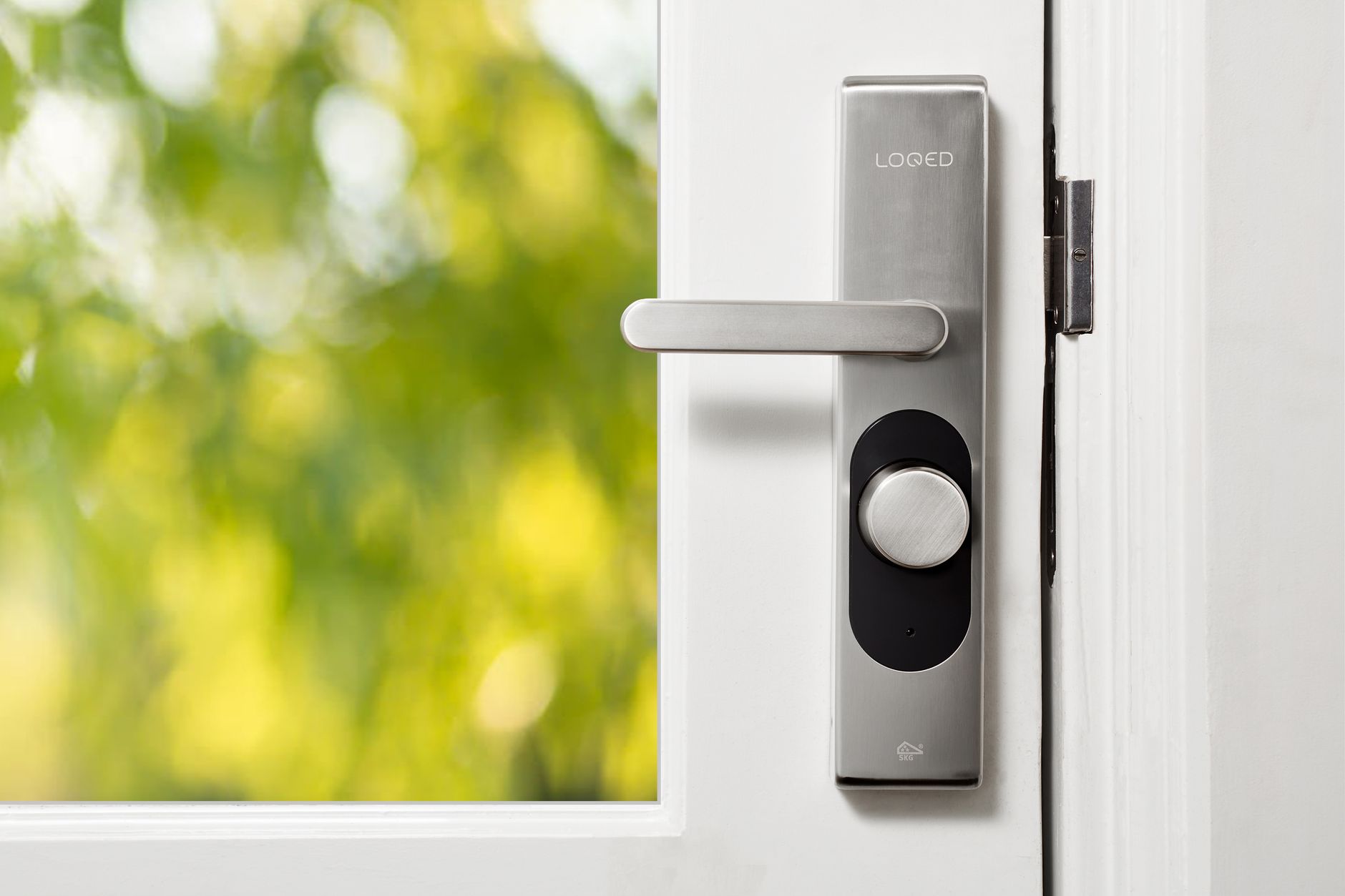
The TEEHO TE001 is the purest version of the idea: a keypad deadbolt with a backlit number pad, room for 20 user codes plus one-time guest codes, and two brass keys in the box. There is no Bluetooth, no Wi-Fi, no app. You set a master code on the keypad and program the rest by hand, the same way a hotel safe has worked for decades. TEEHO lists it around $56.99 in satin nickel, matte black, and oil-rubbed bronze, and it carries an ANSI/BHMA Grade 3 rating and IP54 weather sealing. It has quietly become the default budget keypad lock on Amazon for a reason.
The Wyze Lock Bolt takes that same basic deadbolt and adds three things the TEEHO refuses to: a fingerprint reader that stores up to 50 prints, a Bluetooth link to a phone app, and a time-stamped log of every lock and unlock. It lists at $79.99 and street-sells closer to $70. The trade-off is that the original Lock Bolt drops the keyway entirely — there is no keyhole anywhere on it — and instead puts a USB-C port on the underside so a power bank can wake a dead lock. That single design choice is the source of most of the disagreement between these two locks.
Before I go further, the honest framing: I have not bolted either of these to my own door. What follows is built from the manufacturers’ specs, retailer listings, and several independent hands-on reviews. Where a lived-in result would actually change your buying decision, I’ve dropped a clearly marked note for the kind of detail only weeks of real use reveal.
[ADD YOUR EXPERIENCE: which lock you installed, how long the swap actually took on your door, and whether the first week threw up any surprises the spec sheets didn’t warn about.]
Who this is for
This comparison is for the person who has already decided they want keyless entry on a normal residential door and has a budget of well under $100. If that is you, the choice is not really “which is better” — both are good — it’s “which set of trade-offs fits my door and my household.”
You’re the TEEHO buyer if you’re outfitting a rental, a garage entry, or an in-law unit; if you distrust connected locks on principle; or if you’re buying for someone who will never install an app in their life. You’re the Wyze buyer if you share the door with family or guests, you want the door to lock itself behind you, and a one-second thumb press sounds better than typing a code in the rain. If you’re still mapping the whole category, our roundup of the best smart locks under $100 puts both of these in context, and the best keypad deadbolts under $100 guide zooms in on the code-only crowd the TEEHO belongs to.
TEEHO TE001 vs Wyze Lock Bolt specs at a glance
| Spec | TEEHO TE001 | Wyze Lock Bolt |
|---|---|---|
| Price (Sept 2026) | ~$57 | ~$70 (MSRP $79.99) |
| Entry methods | Keypad code + physical key | Fingerprint + keypad code + app |
| Fingerprints | None | Up to 50 |
| User codes | 20 + one-time codes | 20 + scheduled/one-time codes |
| Connectivity | None (fully standalone) | Bluetooth 5.0, ~16 ft range |
| Activity log | No | Yes, time-stamped in app |
| Physical key backup | Yes — 2 keys included | No keyway; USB-C emergency power |
| Auto-lock | One-touch lock (hold ~1.5s) | Timer, 15 sec to 15 min |
| Battery | 4x AA, up to ~12 months | 4x AA, up to ~12 months |
| Weather rating | IP54; -22°F to 158°F | IPX5 |
| Security grade | ANSI/BHMA Grade 3 | Not ANSI-graded |
| Smart-home support | None | None (no Alexa/Google) |
| Warranty | 12 months | 12 months |
The honest walkthrough: how they compare point by point
Entry methods: keypad vs fingerprint
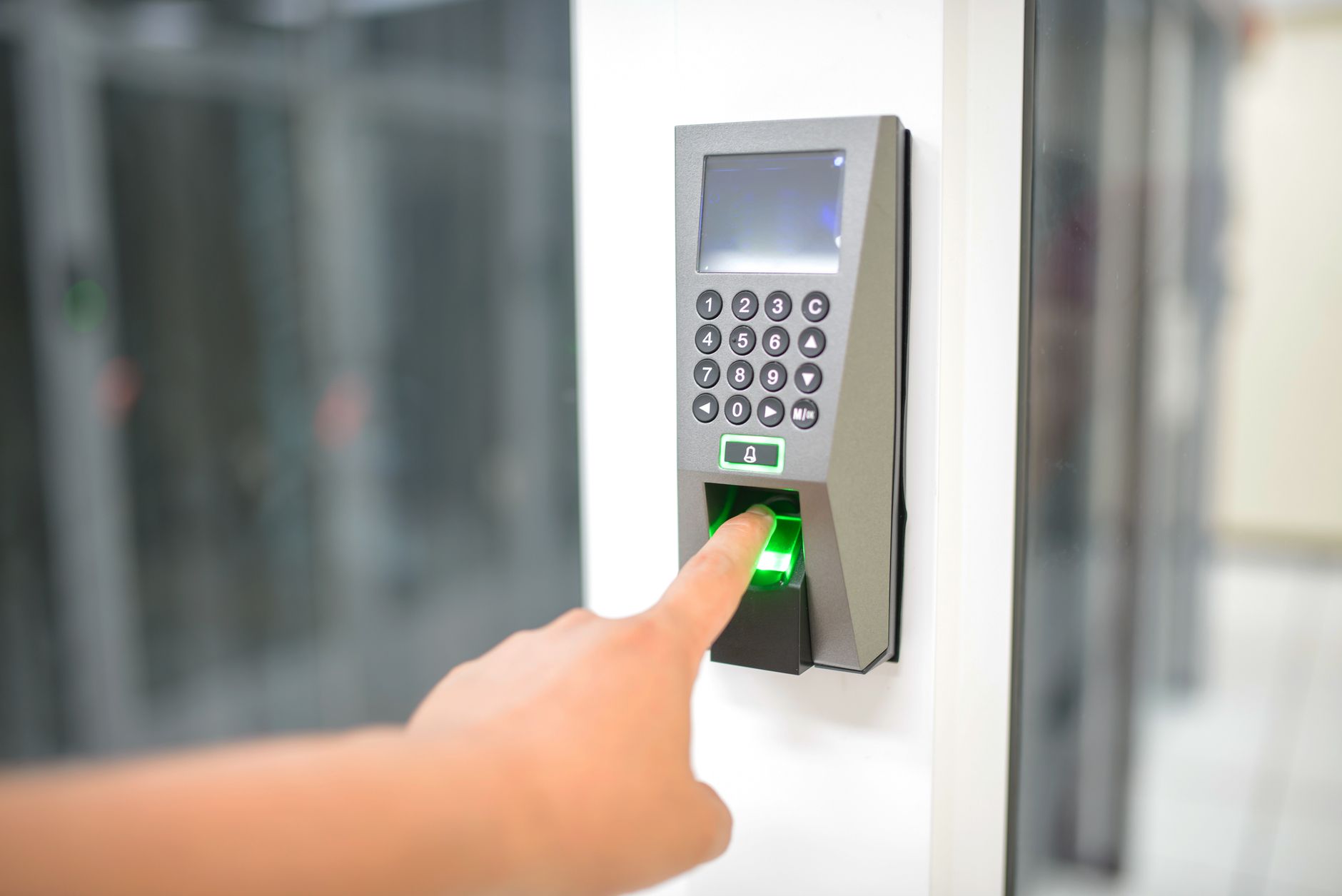
This is the fork in the road. The TE001 gives you a code and a key, and that’s the list. Type four to eight digits, hit the checkmark, the bolt throws. It’s the same motion every single time, in July and in January, and there is nothing to learn. The Wyze adds a fingerprint sensor on top of its own keypad, and the fingerprint is what people actually end up using. Independent testing at SafeHome put its accuracy around 95 percent, with a roughly one-second unlock — no code to remember, nothing to carry, no fumbling with cold hands for the right buttons.
Verdict: If speed and no-code convenience matter, the Wyze wins this outright — the fingerprint is genuinely the nicest way into a house at this price. If you’d rather never think about a sensor misreading a wet thumb, the TEEHO’s code-only simplicity is a feature, not a limitation.
The dead-battery plan: metal key vs USB-C
Here’s where the two locks reveal completely different philosophies. The TEEHO falls back to brass — two physical keys ship in the box, and the keyway sits behind the keypad. Tape one inside your grill cover or hand it to a neighbor, and a dead lock becomes a shrug instead of a crisis. The original Wyze Lock Bolt has no keyhole at all. Its answer is a USB-C port on the underside: press a charged power bank against it and the lock boots long enough to read your finger or code. It works reliably in practice, but it assumes you’re carrying a power bank during an ice storm at 11pm, which is a big assumption.
Verdict: The TEEHO’s key backup is the more reassuring design, full stop, and it’s a legitimate reason to pick it. If a no-key dead-battery plan makes you nervous, that instinct is correct — and if you like the Wyze otherwise, the v2 (below) puts the keyway back. This is exactly the kind of thing our guide to smart locks with a physical key backup exists to sort out.
App, codes, and the activity log
The Wyze app is the whole reason to pay the premium. It logs every lock and unlock with a timestamp, so parents know when kids got home and landlords know when the cleaner arrived. You can schedule a code to work only on Tuesdays between 9 and 11, hand out one-time codes that expire on their own, and set auto-lock anywhere from 15 seconds to 15 minutes. The TEEHO offers none of that. It stores its codes on the lock itself, keeps no record of who used which one, and can’t be touched from your office — a code either works or it doesn’t.
Verdict: For a busy family door or a small rental, the Wyze’s log and scheduled codes quietly earn their keep every week. For a garage door or a lock you just want to be an appliance, the TEEHO’s silence is the point. The catch on the Wyze: Bluetooth reaches only about 16 feet, so all of this management happens at or near the door, not from work.
[ADD YOUR EXPERIENCE: if you run the Wyze, how the activity log actually changed things at home — did it settle any “did you lock it?” arguments, and did guest codes work as smoothly as advertised?]
Installation and first-day setup
Both replace a standard single-cylinder deadbolt with a screwdriver in 20 to 30 minutes, and neither needs new holes on a normal door. If you’ve ever swapped a plain deadbolt, you can install either one. After the hardware is on, the TEEHO is faster to finish — set a master code, add user codes, done in five minutes. The one step people skip, and the number-one cause of “my TEEHO won’t lock” complaints, is door-handing detection: the lock has to learn whether your door swings left or right before codes will work. Run that step and most reported problems never appear. The Wyze adds app pairing and fingerprint enrollment, which asks for several presses per finger and adds maybe ten minutes.
Verdict: Call it a tie on the physical install and a slight edge to the TEEHO on setup speed, purely because there’s nothing to pair. Check your door first either way — both want a standard 2-1/8 inch bore and a 2-3/8 or 2-3/4 inch backset.
Weather and cold-morning reality
Both are built for real weather, with a paper edge to the Wyze — it carries IPX5 against water jets while the TEEHO carries IP54, which trades a hair of water resistance for dust protection. On an actual door, both shrug off rain, snow, and sprinkler overspray; neither belongs on a gate with no overhead cover. Temperature is where they split. The TEEHO’s published range runs -22°F to 158°F, and because it’s a keypad, cold changes nothing about how you get in. The Wyze’s electronics handle cold fine, but its fingerprint sensor gets fussier with cold, dry, or wet fingers — testers described it as occasionally “wonky” in exactly those conditions. You’re never locked out, because the keypad still works, but a Duluth buyer should ask how often they’ll actually use the fingerprint they paid extra for between November and March.
Verdict: A draw on paper, a small win for the TEEHO if you live somewhere genuinely cold — the feature you’re paying for on the Wyze is the one that gets least reliable in a hard winter.
Smart-home and connectivity
Neither lock talks to Alexa, Google Home, Apple Home, or any platform. The TEEHO has no radio to connect with. The Wyze’s Bluetooth speaks only to the Wyze app within about 16 feet — it can’t join routines, answer voice commands, or even talk to other Wyze gear. If voice control or unlocking from the office is the actual job, both of these are the wrong tier. Step up to the Wyze Lock Bolt v2 for Wi-Fi, or look at a Matter lock; our running list of smart locks that work with Alexa covers the voice-first options.
Verdict: Tie, because the answer for both is “no.” Don’t buy either expecting a connected experience — that’s not a knock, it’s just the category.
What no one else tells you about these budget locks
Here’s the part the spec-sheet comparisons skip, and it’s the single most useful thing on this page. Neither of these locks knows whether your door is actually shut. There’s no door-position sensor in either one. So when the Wyze auto-locks on its timer, it will happily fire the bolt into the strike plate whether the door is closed or hanging wide open — and if it’s open, you’ve just extended a metal rod into empty air and taught yourself to trust a lock that didn’t lock anything. Every serious review of this class of lock, PCWorld’s included, dings exactly this. The auto-lock convenience everyone sells you comes with a quiet asterisk: it’s timing the bolt, not confirming the door.
The practical fix is boring and it works — make sure the door is latched before the timer counts down, and don’t rely on the auto-lock as your only line of defense on a door that doesn’t self-close. On the TEEHO, this is a non-issue in a different way: its one-touch lock is deliberate, so you’re the sensor. That’s less convenient and, honestly, less likely to lock an open door by accident.
The second thing nobody mentions: “budget smart lock” oversells both of these. The TEEHO carries an ANSI/BHMA Grade 3, which is fine for residential convenience but is the entry rung of the security ladder, and the Wyze isn’t ANSI-graded at all. Treat both as a convenience upgrade over a dumb deadbolt, not as a fortress. If a lock cannot be hacked from farther away than its own keypad, that’s a real security story — and it happens to be the TEEHO’s, since it has no radio to attack in the first place.
TEEHO TE001 vs Wyze Lock Bolt: head-to-head
Three locks worth cross-shopping here, with real prices as of September 2026. The TEEHO is the simplicity-and-key pick, the original Wyze is the fingerprint pick, and the Wyze v2 is the answer if you want remote unlocking without leaving the budget tier.
| Lock | Price (Sept 2026) | Standout entry | Key backup | Best for |
|---|---|---|---|---|
| TEEHO TE001 | ~$57 | Keypad code | Yes — 2 keys | Cheapest keyless entry, rentals, no app |
| Wyze Lock Bolt | ~$70 | Fingerprint (~1 sec) | No keyway; USB-C power | Fingerprint, guest codes, activity log |
| Wyze Lock Bolt v2 | ~$80 (budget pick) | AI fingerprint + Wi-Fi | Yes — mechanical key restored | Remote unlock on a budget |
If you’re torn between the two originals, the honest read is that the Wyze is the better product for most people and the TEEHO is the better fit for specific doors. But if the Wyze’s missing keyway is your only hesitation, the v2 erases it — Wi-Fi remote unlock and a real key, for about $10 more than the original Bolt.
See the Wyze Lock Bolt v2 on Amazon →
Who should buy which — and who should skip both
Buy the TEEHO TE001 if you want the cheapest lock that just works. No app, no account, no radio, two keys in the box, and a price near $57. Best for renters, back doors, in-law units, and anyone who wants a lock to be an appliance.
Buy the Wyze Lock Bolt if you want fingerprint entry and a record of the door. One-second thumb press, scheduled guest codes, and an activity log for about $70. Best for family front doors and small rentals where knowing who came and went is worth real money.
Buy the Wyze Lock Bolt v2 if remote unlocking matters. Wi-Fi, a smarter fingerprint reader, and the mechanical key the original dropped, all near $80. Best for the buyer who wants to let a relative in from across town without leaving the budget aisle.
Skip both if you need Alexa, Google, or true smart-home control. Neither original does voice or cloud. You’ll want a Matter or Wi-Fi lock a tier up — and if you rent out the place, our best smart locks for Airbnb in 2026 guide covers locks built for turnover and remote guest access.
Check the Wyze Lock Bolt on Amazon →
The honest limits
Neither lock is all upside, and the real caveats deserve to be said plainly. The TEEHO keeps no activity log and can’t be managed remotely, so if you need to add or revoke a code without standing at the door, it can’t help you — and its Grade 3 rating makes it a convenience lock, not a high-security one. The original Wyze Lock Bolt’s missing keyway means your only dead-battery fallback is a USB-C power bank you have to remember to own, its Bluetooth is useless beyond about 16 feet, and its fingerprint sensor is at its worst in the exact cold-and-wet conditions when you least want to peel off a glove. Both locks will auto-lock or throw their bolt without knowing the door is actually shut, which is the sharpest edge in this whole category.
None of those are dealbreakers for the buyer each lock is built for. They’re the line between “great for me” and “great for everyone,” which is exactly the distinction a real comparison should draw. If your must-have is the metal key, the TEEHO or the Wyze v2. If it’s the fingerprint, the Wyze. If it’s neither and you just want the brand picture, our TEEHO door lock overview digs deeper into the lineup.
The verdict
Pay the extra ~$13 for the Wyze Lock Bolt if you want the fingerprint and the activity log most people actually use — but buy the TEEHO TE001 if a real metal key and a lock with no app to babysit is what lets you sleep.
Check the TEEHO TE001 on Amazon →
TEEHO TE001 vs Wyze Lock Bolt FAQ
Which is better, the TEEHO TE001 or the Wyze Lock Bolt?
For most buyers the Wyze Lock Bolt is the better product, because its fingerprint reader and activity log are features people use daily and it costs only about $13 more. The TEEHO TE001 is the better choice on three specific doors: the tightest budget, a rental you don’t want tied to any account, and a household that wants no app and a real backup key.
Does the Wyze Lock Bolt work without Wi-Fi?
Yes. The original Wyze Lock Bolt has no Wi-Fi at all. It uses Bluetooth 5.0 with roughly 16 feet of range, and only for setup and management through the Wyze app. Fingerprint and keypad entry work with no phone nearby. Only the Wyze Lock Bolt v2 adds Wi-Fi.
Does the TEEHO TE001 come with a physical key?
Yes. The TE001 ships with two physical backup keys, and the keyway sits behind the exterior keypad. That makes it one of the few sub-$60 keypad deadbolts with a true mechanical fallback if the batteries die or the electronics fail.
Does the Wyze Lock Bolt have a keyhole?
No. The original Wyze Lock Bolt has no keyway anywhere on it. If the batteries die completely, you hold a USB-C power bank against the port on the underside of the exterior unit to power it long enough to enter with a fingerprint or code. The Wyze Lock Bolt v2 restores a mechanical key.
How long do the batteries last in each lock?
Both the TEEHO TE001 and the Wyze Lock Bolt run on four AA alkaline batteries rated for up to 12 months of typical use. Both warn you well before the cells die. Heavy-traffic doors will see less than a year, and cold winters shorten alkaline life on either lock.
Do the TEEHO TE001 or Wyze Lock Bolt work with Alexa or Google Home?
No. The TEEHO TE001 has no wireless radio at all, and the original Wyze Lock Bolt’s Bluetooth connects only to the Wyze app — no Alexa, Google Home, or Apple Home. For voice control at a low price, you need a Wi-Fi or Matter lock in the $100-and-up range.
Which lock is easier to install?
Both install in 20 to 30 minutes with a screwdriver on a standard 2-1/8 inch bore, and neither needs new holes on a normal door. The TEEHO is faster to finish because there’s no app pairing — just set a master code and run door-handing detection. The Wyze adds account setup and fingerprint enrollment, about ten extra minutes.
Is the Wyze Lock Bolt fingerprint reader reliable?
Mostly. Independent testing put its accuracy around 95 percent with a roughly one-second unlock. It gets less reliable with cold, dry, or wet fingers, so winter mornings are when you fall back to the keypad. You’re never locked out, because the keypad and app always work, but the fingerprint is the feature that suffers most in bad conditions.
Is the TEEHO TE001 a secure lock?
It carries an ANSI/BHMA Grade 3 rating, which is fine for residential convenience but sits at the entry level of the security scale. Treat it as an upgrade over a basic deadbolt rather than a high-security product. Its lack of any radio does mean there’s nothing to hack remotely, which some buyers value as a security feature in itself.
Should I buy the Wyze Lock Bolt v2 instead?
If you can spend about $80, the v2 fixes the two biggest complaints about the original in one move: it adds built-in Wi-Fi for remote unlocking and brings back a mechanical key. It also upgrades to an AI fingerprint reader and a tempered-glass keypad. If you never needed remote access and check the app once a week, the cheaper original Lock Bolt still does 90 percent of the daily job.
About the author — Naveen Kumar Durai
I write hands-on-minded smart lock and home security reviews at TechVibeSpot, and I care more about what a product does on your actual door than what its box promises. See how I test and score everything on the How We Review page.