Affiliate disclosure: TechVibeSpot is reader-supported. If you buy through the Amazon links on this page we may earn a small commission at no extra cost to you. We only recommend gear we would set up on our own homes.
Short answer
The Baseus X1 Pro is a dual-lens 3K solar security camera that charges itself and records to a local microSD card with no monthly fee. As of early September 2026 it usually sells between roughly $150 and $180 on Amazon, and dips near $130 during sale events. The famous July 2026 “$129.99” deal has ended, but the value story is intact: two cameras in one housing, a battery that lasts months, and zero subscription. Buy it if you want wide, self-powered coverage without a bill. Skip it if you need flawless AI person detection or Apple HomeKit. Check the current Baseus X1 Pro price on Amazon.
How we assess: every pick here is scored against our published How We Review methodology — real specs, verified pricing, and honest limits before any buy button.
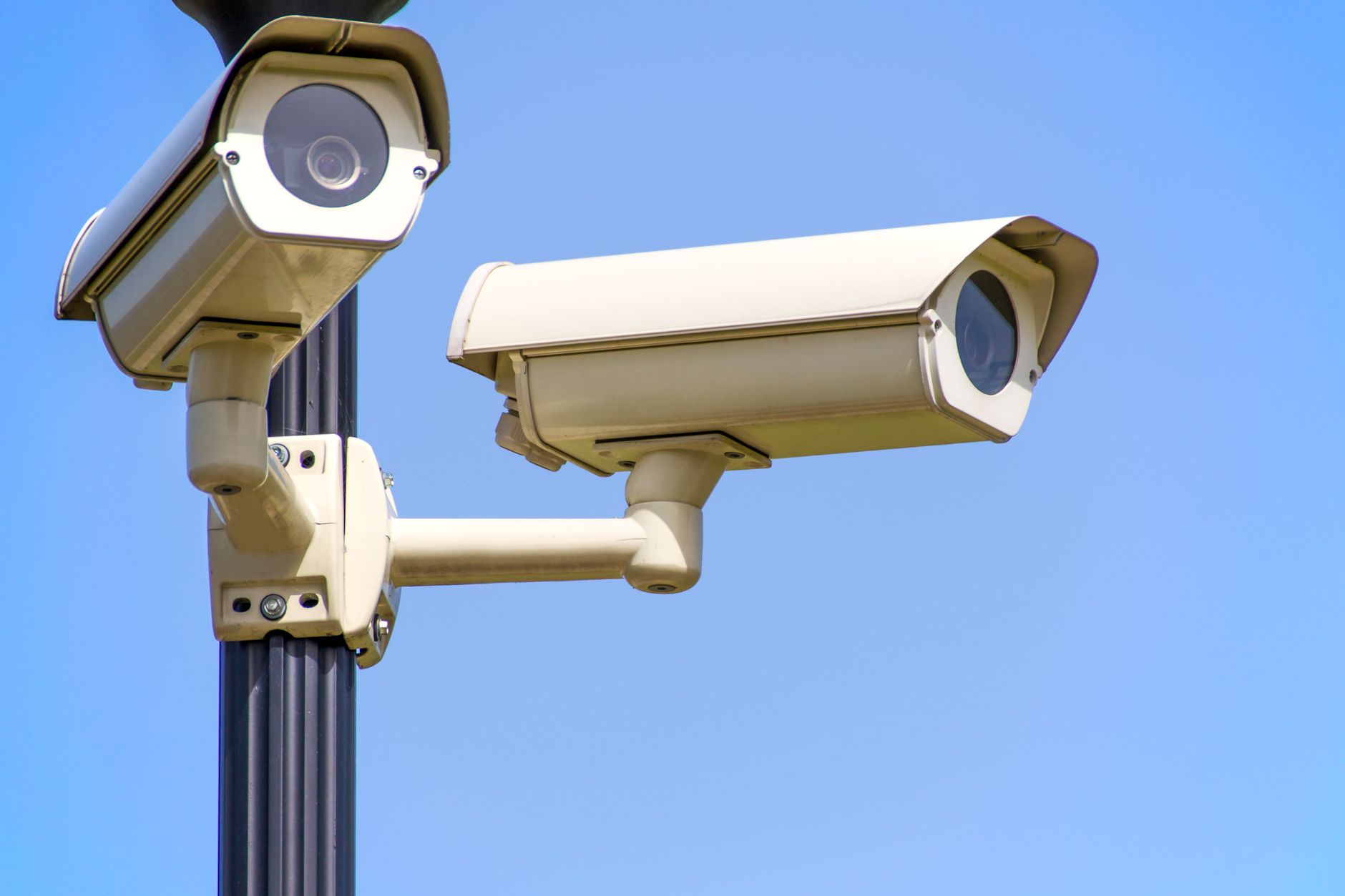
The Baseus X1 Pro solar camera is the security camera I keep recommending to people who are sick of paying $8 a month just to watch their own front yard. It is a no-subscription outdoor security camera with two 3K lenses, a 7,800 mAh battery, and a self-adjusting solar panel bolted to the top. In plain terms: you mount it once, it powers itself off sunlight, it saves footage to a card you own, and nobody sends you a renewal email. That is the whole pitch, and mostly it delivers.
Key takeaways
- Two 3K cameras (3072 x 1536 each) in one housing — one can track a person while the other watches the rest of the yard.
- Truly subscription-free: records to a microSD card up to 512GB, with AES + RSA encryption and no cloud paywall.
- 7,800 mAh battery rated up to 150 days per charge; the 3W motorized solar panel tops it up on its own.
- Real weak spot: the AI person/pet/vehicle detection is inconsistent, and there is a 3–4 second delay before recording starts.
- 2.4GHz Wi-Fi only, works with Alexa and Google Home, but there is no Apple HomeKit or Matter support.
- Pricing as of September 2026: roughly $150–$180 typical, ~$130 on sale, against a $269–$280 list price.
What the Baseus X1 Pro actually is
Most outdoor cameras give you one lens pointed one direction. The X1 Pro gives you two. Baseus stacked two independent 3K camera modules on a motorized head, and that single design choice is the reason this thing exists. Each lens covers 300° horizontally and 125° vertically as it pivots, and you can run them two ways: point both outward for one very wide panoramic view of a driveway or backyard, or let one lens lock onto and follow a moving person while the second keeps scanning everything else. That second mode is the party trick — a delivery driver walks up your path, camera A follows them to the door, camera B still catches the second person hanging back by the gate.
Underneath the head sits a 7,800 mAh battery and, above it, a 3W solar panel on its own little motor that rotates roughly 120° to chase the sun. Storage is local: a microSD card slot takes up to 512GB, and footage is encrypted with AES + RSA on the card. There is a free 30-day cloud backup tier, but do not lean on it — reviewers, including Tom’s Guide, found it unreliable in testing, and the local card is the real system here. Connectivity is 2.4GHz Wi-Fi only, and it plays with Amazon Alexa and Google Home. It is IP65 rated for rain and dust, has 12 infrared LEDs plus two 100-lumen spotlights for color night vision, an 8x digital zoom, a built-in siren, and privacy zones you can black out.
[ADD YOUR EXPERIENCE: describe mounting the X1 Pro on your own house — how long the install took, whether the bracket felt solid, and where you aimed the two lenses.]
Who this is for
This camera is for the homeowner who wants wide coverage of one important area — a backyard, a driveway, a side gate — and refuses to pay a monthly fee to see it. If you have a spot where a single narrow camera keeps missing half the action, the dual-lens panoramic mode is genuinely useful. It is also for people who hate wiring; the solar panel means you can mount it somewhere with zero outlets and mostly forget about charging.
It is not for you if you are deep in the Apple ecosystem and want everything in the Home app — there is no HomeKit. It is also not the pick if your buying decision rests entirely on razor-accurate AI alerts, because that is exactly where this camera is soft. If you want the same no-subscription philosophy on your front door instead of your yard, our take on the Reolink Video Doorbell 2nd Gen covers that side of the house.
Baseus X1 Pro specs and pricing at a glance
| Spec | Baseus X1 Pro |
|---|---|
| Cameras / resolution | Dual lens, 3K each (3072 x 1536), F2.0 |
| Field of view | 300° horizontal, 125° vertical per lens (motorized) |
| AI features | Dual tracking, person/pet/vehicle detection, 8x digital zoom |
| Night vision | Color; 12 IR LEDs + two 100-lumen spotlights |
| Battery | 7,800 mAh, up to 150 days per charge |
| Solar | 3W motorized panel, self-adjusting ~120° |
| Storage | Local microSD up to 512GB (AES + RSA); free 30-day cloud, no fee |
| Subscription | None required |
| Connectivity | 2.4GHz Wi-Fi; Alexa + Google Home (no HomeKit/Matter) |
| Weatherproofing | IP65; built-in siren; privacy zones |
| List price | $269.99–$280 |
| Street price (Sept 2026) | ~$150–$180; ~$130 on sale |
Prices verified September 2026 and change often — check the live listing before buying. See today’s Baseus X1 Pro price.
The honest walkthrough — point by point
Dual-lens coverage
This is the reason to buy the camera. Two 3K lenses on a moving head genuinely erase the blind spots that plague single-camera setups. In panoramic mode you get a stitched wide view; in tracking mode one lens follows movement while the other holds station. For a backyard or a wide driveway it is the closest thing to two cameras for the price of one.
Verdict: Excellent and the headline feature. Nothing near this price matches the coverage.
Image quality
3K per lens (3072 x 1536) is sharper than the 1080p most budget cameras still ship, and the F2.0 aperture pulls in enough light that faces near the house are readable. Push the 8x digital zoom hard, though, and it falls apart — there is no optical zoom, so a face 40 feet out at full zoom is a smear.
Verdict: Very good up close, average at distance. Fine for identifying who is at your door, not for reading a license plate across the street.
Battery and solar
The 7,800 mAh battery and “up to 150 days” claim are the kind of numbers that assume light traffic and good sun. In a busy yard with lots of motion events and a shaded panel, expect less. But the motorized solar panel is smarter than most — it physically turns to catch the sun instead of sitting flat — and for the majority of installs it keeps the battery topped without you ever climbing a ladder.
Verdict: Strong. This is where the “mount it and forget it” promise mostly holds.
[ADD YOUR EXPERIENCE: note your real battery drain after a month — what percentage the app showed, and whether your panel’s location got enough direct sun.]
Night vision
Color night vision from two 100-lumen spotlights plus infrared is a real step up from grainy black-and-white. Motion trips the spotlights, you get usable color footage, and the deterrent value of a light snapping on is a bonus.
Verdict: Good. Among the better night performers in the subscription-free class.
AI detection and recording delay
Here is the soft underbelly. The person, pet, and vehicle classification is inconsistent — Tom’s Guide flagged it as unreliable, and there is a documented 3–4 second gap between motion and the start of recording. Four seconds is long enough for someone to walk out of frame. You will still capture events, but the “smart” alerts are not something to bet your peace of mind on.
Verdict: Below average. The clearest weakness, and the reason this is not a five-star camera.
App, storage, and no subscription
Everything records to your microSD card, encrypted, with no paywall to review it. The app is functional if not beautiful. The 30-day free cloud tier is a nice idea that reviewers found flaky, so treat the local card as the system. No bill, ever, is the point — and it delivers on that.
Verdict: Very good on the thing that matters most here — you own your footage.
Check the Baseus X1 Pro on Amazon →
What no one else tells you about the Baseus X1 Pro
Every deal blog screams about the price drop and the dual lenses. Here is what the affiliate roundups skip.
First: the 3–4 second recording delay quietly undercuts the whole “AI tracking two targets” story. The marketing sells you two lenses chasing two people in real time, but if recording only kicks in a few seconds after motion, a fast-moving person can be halfway across your yard before the file starts. For a slow porch visit it is fine. For catching someone who does not want to be caught, that lag matters more than the resolution number on the box.
Second: “no subscription” is true, but it is not the same as “no ongoing cost or effort.” You still buy the microSD card, you still occasionally pull it or manage storage as it fills, and if the camera fails there is no cloud copy of last week sitting safe on a server. The subscription-free model trades a monthly fee for you being your own IT department. That is usually a good trade — I take it every time — but nobody says it out loud.
Third: 2.4GHz-only Wi-Fi is a range advantage disguised as a limitation. Everyone gripes there is no 5GHz, but 2.4GHz travels farther through walls, which is exactly what you want for a camera mounted on the far corner of the house. The spec sheet reads like a downgrade; in practice it is the right call for range.
Fourth, and this is the honest one: this camera makes the most sense if you already treat security as layered. A camera watches and records — it does not lock anything. Pair it with a solid deadbolt and you have deterrence plus a real barrier. If you are shopping locks alongside this, our guide to the best smart locks under $100 is the natural companion, and if you run an Alexa house, smart locks that work with Alexa keeps everything in one voice ecosystem.
Baseus X1 Pro vs the alternatives
The X1 Pro does not exist in a vacuum. Here is how it stacks against the other no-subscription cameras I would actually consider, with real current-market pricing as of September 2026.
| Camera | Resolution | Coverage | Storage / fee | Approx. price (Sept 2026) |
|---|---|---|---|---|
| Baseus X1 Pro | Dual 3K | Dual-lens, 300° per lens, tracking | microSD 512GB / none | ~$150–$180 |
| Reolink Argus 4 Pro | 4K (8MP) dual-lens | 180° blind-spot-free | Local + Wi-Fi 6 / none | ~$180–$220 |
| eufy SoloCam S340 | Dual 3K | 360° pan & tilt, AI track | 8GB built-in, expandable / none | ~$130–$200 |
| Wyze Solar Cam Pan (budget pick) | 2K | 360° pan-tilt | microSD / optional | ~$80 |
vs Reolink Argus 4 Pro (on Amazon): The Argus 4 Pro wins on raw resolution (true 4K), adds dual-band Wi-Fi 6, and its ColorX night vision is a genuine strength. It costs more and its 180° view is fixed rather than actively tracking. Pick Reolink if image clarity is your top priority; pick Baseus if active dual-target tracking and price matter more.
vs eufy SoloCam S340 (on Amazon): This is the closest rival — also dual 3K, also solar, also no fee, but on a full 360° pan-and-tilt head with eufy’s more polished AI. If you want the best software and full rotation, the eufy is the smarter camera. The Baseus counters with a wider single-shot panoramic view and often a lower price.
vs Wyze Solar Cam Pan (on Amazon): The genuine budget option. It launched at $79.98, is solar and pan-tilt, but drops to a single 2K lens and thinner build quality. If your budget is hard-capped under $100, this is the honest pick — just know you are giving up the second lens and the sharper image.
Who should buy the Baseus X1 Pro — and who should skip it
Best for the wide-yard owner: If your problem is one large area with blind spots, the dual lens solves it better than anything near this price.
Best for the anti-subscription buyer: If the phrase “monthly fee” makes you close the tab, this camera was built for you.
Best for the no-wiring install: Solar plus a months-long battery means you can mount it where no outlet reaches.
Skip it if you live in Apple’s Home app: No HomeKit, no Matter. Look elsewhere.
Skip it if AI accuracy is non-negotiable: The detection and 3–4 second delay will frustrate you. The eufy or a wired camera serves you better.
Skip it if you need long-range detail: No optical zoom means faraway faces stay soft.
The honest limits
Let me be blunt so you are not surprised after it ships. The AI classification is the real weak point — do not buy this expecting Nest-grade person detection. The 3–4 second recording delay is baked in and can miss fast movement. The free cloud backup is unreliable, so plan your storage around the local card, not the cloud. It is 2.4GHz Wi-Fi only, which helps range but annoys anyone expecting 5GHz. There is no optical zoom, so digital zoom past a few times is mush. And the “150-day” battery figure is a best case, not a guarantee — heavy motion and a shaded panel will cut it down. None of these are dealbreakers for the right buyer, but you deserve to know them before the box arrives. For the record, a camera is one layer; a real barrier is the other, and our roundup of the best smart locks with physical key backup pairs naturally with an outdoor camera like this one.
“The Baseus X1 Pro is the best wide-coverage, no-subscription camera you can mount and forget — as long as you forgive its clumsy AI.”
Frequently asked questions
Is the Baseus X1 Pro really subscription-free?
Yes. The Baseus X1 Pro records to a local microSD card of up to 512GB with no monthly fee, and footage is encrypted with AES and RSA on the card. There is also a free 30-day cloud backup tier, though reviewers found it unreliable, so the local card is the dependable system. You never have to pay to view your own footage.
How long does the Baseus X1 Pro battery last?
Baseus rates the 7,800 mAh battery at up to 150 days per charge, but that is a best-case figure for light traffic. In a busy yard with frequent motion events, expect noticeably less. The 3W motorized solar panel is designed to top the battery up on its own, so in a sunny install you may rarely, if ever, need to remove it for charging.
Does the Baseus X1 Pro need Wi-Fi to work?
Yes, it connects over 2.4GHz Wi-Fi to send alerts, stream live video, and let you view footage in the app. It records locally to the microSD card, so clips are still saved to the card during a brief internet outage, but you need Wi-Fi for remote viewing and notifications. Note it does not support 5GHz networks.
Does the Baseus X1 Pro support Apple HomeKit?
No. The Baseus X1 Pro works with Amazon Alexa and Google Home, but it does not support Apple HomeKit or Matter. If you rely on the Apple Home app to manage your smart home, this camera will not appear there, and you should consider a HomeKit-certified alternative instead.
How much is the Baseus X1 Pro as of September 2026?
Its list price is around $269 to $280. As of early September 2026 the street price on Amazon typically sits between roughly $150 and $180, dropping toward $130 during major sale events like Prime Day. The widely shared July 2026 price of $129.99 was a limited-time deal that has since ended. Prices change often, so check the live listing before buying.
Is the Baseus X1 Pro’s AI detection accurate?
This is its weakest area. The person, pet, and vehicle classification is inconsistent, and reviewers including Tom’s Guide flagged a 3 to 4 second delay between detected motion and the start of recording. You will still capture events, but do not rely on the smart alerts being precise. If accurate AI detection is your top priority, the eufy SoloCam S340 is a stronger choice.
Can the Baseus X1 Pro record 24/7 continuously?
No. Like most battery-and-solar cameras, it records event-based clips triggered by motion rather than a constant 24/7 stream, because continuous recording would drain the battery far too quickly. This is normal for the solar, subscription-free category and is the trade-off for going wireless.
Does the solar panel actually keep it charged?
In most installs, yes. The 3W panel sits on a small motor that rotates about 120 degrees to follow the sun, which is more effective than a fixed flat panel. As long as it gets a few hours of direct daylight, it generally keeps the battery topped up. In a heavily shaded spot it will struggle, and you may need to recharge the battery manually now and then.
Baseus X1 Pro vs eufy SoloCam S340 — which is better?
They are close. Both are dual 3K, solar, and subscription-free. The eufy SoloCam S340 has a full 360-degree pan-and-tilt head and more polished AI software, making it the better all-rounder. The Baseus X1 Pro counters with a wider single-shot panoramic view from its dual lenses and is often cheaper. Choose eufy for smarter software and full rotation; choose Baseus for wide coverage and value.
Is there a cheaper solar camera under $100?
Yes. The Wyze Solar Cam Pan launched at $79.98 and is a genuine budget alternative — it is solar-powered, offers 360-degree pan and tilt, and has color night vision. You give up the second lens and step down to a single 2K sensor with a lighter build, but if your budget is capped under $100, it is the honest pick.
About the author — Naveen Kumar Durai
Naveen writes hands-on smart home and home security coverage at TechVibeSpot, focused on gear people can set up themselves without a monthly bill. He researches every pick against real specs and verified pricing before recommending it.
Last updated: September 2026. Pricing and availability verified at time of writing and subject to change.