TechVibeSpot earns a commission if you buy through links on this page. That never changes a verdict.
Smart deadbolts get all the attention. Interior doors get ignored. That changed on July 27, 2026, when ThorBolt quietly launched the GK1, a $79.99 fingerprint door knob that runs Apple HomeKit over Thread. Not Bluetooth with a bridge bolted on. Native Thread, on a knob meant for your bedroom, office, garage entry, or pantry door.
That makes the GK1 one of the first Thread-native smart door knobs you can actually order in the US right now, and it lands at a price most HomeKit locks can’t touch. The catch: it is iOS-only, interior-only, and it demands a HomeKit hub. This review breaks down what the GK1 does, what it skips, and who should buy one this week instead of waiting.
How we assess: research/news-based analysis, not hands-on testing.
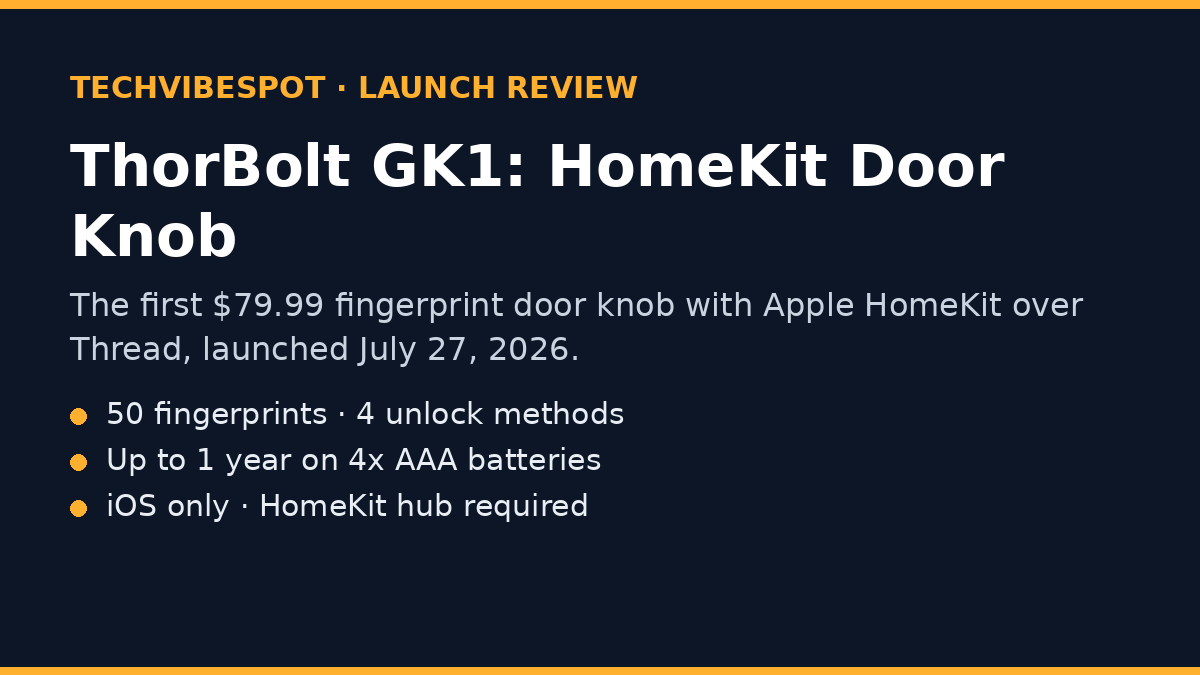
Is the ThorBolt GK1 worth buying? Yes, if you live in the Apple ecosystem and want fingerprint or Siri control on an interior door. At $79.99 it undercuts nearly every Thread-capable lock on the market, stores 50 fingerprints, and runs up to a year on four AAA batteries. Skip it if you use Android or need an exterior-rated deadbolt.
Key Takeaways
- $79.99 at launch on Amazon (July 27, 2026), roughly half the price of most Thread-capable smart locks.
- 4 unlock methods: fingerprint, Siri, the Apple Home/Sleekpoint app, or a mechanical backup key.
- 50 fingerprints can be registered, enough for a large family, roommates, or a small office.
- Up to 12 months of battery life from four standard AAA alkaline batteries.
- 3 access modes via a physical switch: Passage, Administrator-Only, and Standard.
- Fits doors 35–57 mm thick with 60 mm and 70 mm backsets, which is standard for US interior doors.
- iOS only. No Android app, no Google Home, no Alexa. A Thread border router (HomePod mini, HomePod 2nd gen, or Apple TV 4K) is required for remote access.
What Is the ThorBolt GK1, and Why Does This Launch Matter?
The ThorBolt GK1 is a fingerprint-reading smart door knob for interior doors that launched on July 27, 2026 at $79.99, and it connects to Apple Home natively over Thread. Most “smart” door hardware in this price band is Bluetooth-only, which means sluggish connections and no remote control without a plug-in bridge. Thread changes that. The GK1 joins your existing Thread mesh, responds faster, and stays reachable from anywhere through your HomeKit hub.
Interior smart knobs are a genuinely underserved category. ThorBolt itself proved the demand with the MK1, a keypad fingerprint knob that HomeKit users have been recommending since late 2024. The GK1 strips the keypad, keeps the fingerprint reader and Thread radio, and cuts the price. For a bedroom, home office, garage-to-house door, guest room, or a landlord’s supply closet, that trade makes sense: you rarely need to give a visitor a code for your office door, but you do want it locked, logged, and openable with a thumb.
The launch also signals where the smart-lock market is heading in 2026: cheaper Thread radios, more Apple-first hardware, and category expansion beyond the front-door deadbolt. If you skipped smart locks because retrofitting your front door felt like a project, an interior knob is the low-stakes way in. Installation is a screwdriver job, and there’s a mechanical key in the box if the electronics ever let you down.
Check the ThorBolt GK1’s current price on Amazon.
How Does HomeKit Over Thread Work on a Door Knob?
Thread gives the GK1 a direct, low-power connection to your Apple Home setup with no plug-in bridge, and that is the single biggest reason to pick it over a Bluetooth knob. Thread is a mesh protocol: every mains-powered Thread device in your home (HomePod mini, Apple TV 4K, many smart plugs) relays traffic for battery devices like this knob. The result is faster response than Bluetooth and remote access that keeps working even if one node drops.
The requirement flows the other way too. Without a Thread border router (Apple currently uses the HomePod mini, HomePod 2nd generation, and Apple TV 4K), the GK1 falls back to local Bluetooth-style pairing and you lose remote control, automations, and Siri from outside the house. ThorBolt is explicit that a hub is required for the full experience, and the Amazon listing repeats it in the title. Budget for a $99 HomePod mini if you don’t own one.
Once it’s on the mesh, the GK1 behaves like any HomeKit lock: it appears in the Home app, responds to “Hey Siri, lock the office door,” joins scenes and automations (lock every interior door at 10 p.m., for example), and sends notifications when the door locks or unlocks. Day-to-day management (fingerprint enrollment, auto-lock timing, mode changes) lives in ThorBolt’s Sleekpoint app. Auto-lock delay is adjustable there, so the knob can relock itself seconds after the door closes.
One honest caveat: HomeKit over Thread on a knob is Apple-exclusive by design. There is no Matter multi-ecosystem story here, no Google Home, no Alexa. Android households should stop reading and look at the TEEHO options below instead.
What Do You Get for $79.99?
For $79.99 the GK1 delivers a fingerprint reader that stores up to 50 prints, four unlock methods, a physical three-way access switch, and a claimed year of battery life on four AAA cells. That spec sheet reads like a $150 product from two years ago, so it’s worth walking through what each piece means in practice.
The fingerprint reader sits on the knob where your thumb naturally lands. Fifty stored prints is far more than most households need and enough for a small office to enroll every employee plus a few spares per person (enrolling the same thumb twice at different angles improves recognition). ThorBolt says the sensor uses a self-learning algorithm that gets faster with repeated use, a claim we can’t independently verify yet, but one consistent with how modern capacitive sensors behave.
The three-position switch is the sleeper feature. Passage Mode leaves the door unlocked for high-traffic hours. Standard Mode lets any enrolled print unlock. Administrator-Only Mode restricts entry to admin fingerprints, handy for a supply closet, a home office with kids around, or a med cabinet room. Flipping a physical switch is faster than digging through an app, and it works when your phone is dead.
Power comes from four AAA alkaline batteries rated for up to a year of typical use, and the mechanical backup key covers you when they finally die. The knob handles doors 35–57 mm thick with 60 mm or 70 mm backsets, which covers nearly all US interior doors. ThorBolt rates it as splash- and sweat-resistant but publishes no IP rating, one more reason to keep it indoors.
What you don’t get: a keypad (that’s the older MK1), HomeKey tap-to-unlock (that’s ThorBolt’s X1 deadbolt), Android support, or an exterior weather rating.
How Does the GK1 Compare to the ThorBolt MK1 and Budget Keypad Knobs?
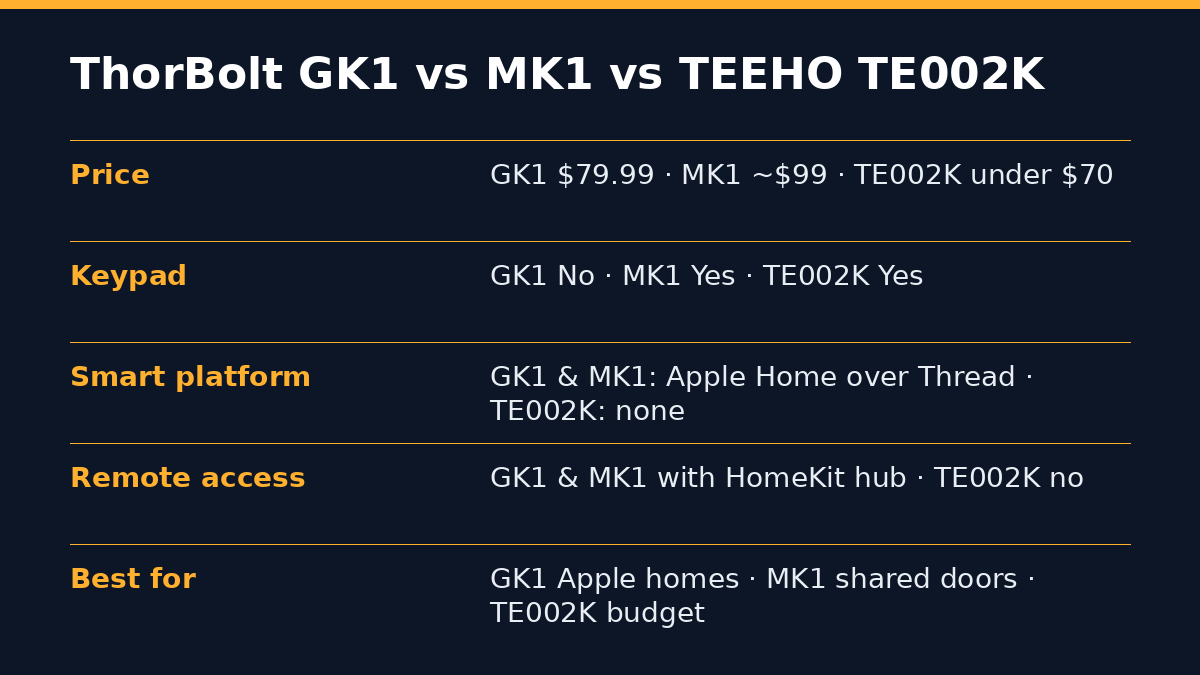
The GK1 is the cheapest way into a HomeKit-native smart knob, the MK1 adds a keypad for shared spaces, and TEEHO’s TE002K wins on raw price if you don’t care about smart-home integration. Here’s the head-to-head:
| Feature | ThorBolt GK1 | ThorBolt MK1 | TEEHO TE002K |
|---|---|---|---|
| Launch price | $79.99 | ~$99 list (often less) | Under $70, frequently ~$47 on deal |
| Type | Interior knob | Interior knob | Exterior-capable handle + deadbolt set |
| Fingerprint | Yes, 50 prints | Yes | Yes |
| Keypad | No | Yes | Yes (deadbolt keypad) |
| Smart platform | Apple Home over Thread | Apple Home over Thread | None (standalone) |
| Remote access | Yes, with HomeKit hub | Yes, with HomeKit hub | No |
| Siri control | Yes | Yes | No |
| Battery | 4× AAA, up to 1 year | 4× AAA | 4× AA |
| Access modes | Passage / Admin-only / Standard | Similar via app | Codes + fingerprint |
| Best for | Apple homes, single-user doors | Apple homes, shared doors needing codes | Budget buyers, Android homes, rentals |
Choose the GK1 when the door serves people who can all enroll fingerprints and you want the cleanest knob with the newest radio. Choose the ThorBolt MK1 when guests, cleaners, or clients need temporary codes; a keypad is still the easiest way to hand out access without touching someone’s phone. Choose the TEEHO TE002K as the budget pick when you just want keyless entry and couldn’t care less about HomeKit; it’s the one Android users should buy. We compared TEEHO’s lineup against Wyze in our TEEHO TE001 vs Wyze Lock Bolt breakdown if you want the deeper budget story.
If what you actually need is a front-door solution, skip knobs entirely and start with our best smart locks under $100 guide or the TEEHO TE002 keypad deadbolt, a persistent budget favorite.
Which Doors and Households Is the GK1 Right For?
The GK1 fits one profile extremely well: an all-Apple household that wants specific interior doors locked, logged, and openable without keys. Map yourself to a use case:
If you work from home, put it on the office door. Admin-Only mode keeps kids and roommates out of client files and expensive gear, and unlock events show up in the Home app so you know if anyone tried the door while you were out.
If you have a garage-to-house door, this is arguably the highest-value spot in the whole house. That door is interior-rated but security-relevant, and a fingerprint beats fumbling for keys with grocery bags in both hands.
If you rent out rooms or run an Airbnb, use it on the owner’s closet or supply room. Guests never get access, you unlock with a thumb during turnovers, and there’s no code to rotate between stays. For the front door itself, see our best smart locks for Airbnb guide.
If you share an apartment, a bedroom knob gives you real privacy without violating most lease terms, since it installs with a screwdriver and swaps back when you move out. Keep the original knob in a drawer.
If you’re securing a med cabinet, liquor room, or gun-adjacent storage area, Admin-Only mode plus unlock logging is a meaningful safety layer, though for anything life-critical, treat this as a convenience lock, not a safe.
Who should not buy it: Android users (no app, full stop), anyone without a HomeKit hub who won’t buy one, exterior-door shoppers (no weather rating, knob-format locks are also easier to defeat than deadbolts), and households where frequent visitors need codes: get the MK1’s keypad instead.
What Are the Downsides Before You Buy?
The GK1’s flaws are mostly the flip side of its focus, but four of them deserve a clear-eyed look before you spend $79.99. First, the iOS lock-in is total. This is not a Matter device that happens to work best with Apple; it is an Apple-only product. If anyone in the household runs Android, they’re limited to fingerprint and the mechanical key, with no app access at all.
Second, the hub requirement is real money if you’re starting from zero. A HomePod mini adds about $99 to the effective cost, pushing your true entry price near $180. Existing Apple TV 4K or HomePod owners can ignore this line entirely; for them, $79.99 is the whole bill.
Third, there’s no keypad and no HomeKey. No keypad means no temporary codes for guests. No HomeKey means no tap-your-iPhone-to-unlock; you’ll use a fingerprint or ask Siri. ThorBolt clearly reserves HomeKey for its X1 deadbolt line, and at this price that segmentation is fair, but you should know what lives one shelf up.
Fourth, it’s a launch-week product from a small brand. There are no long-term reliability reports yet, no independent teardowns, and the splash-resistance claim comes without an IP rating. ThorBolt’s track record with the MK1 and X1 is encouraging (both earned solid reviews from Apple-focused outlets), but early adopters are, as always, the beta test. If that bothers you, wait sixty days for user reviews to accumulate.
How Hard Is the ThorBolt GK1 to Install and Set Up?
Installation is a 15-to-30-minute screwdriver job on any standard interior door, with no drilling required if your door already has a knob. The GK1 replaces an existing knob using the same bore hole: unscrew the old hardware, thread the GK1’s spindle through, match the latch to your 60 mm or 70 mm backset, and drive the supplied screws. Doors between 35 and 57 mm thick are covered out of the box, which spans hollow-core interior doors up to solid 2¼-inch slabs. Renters take note: the process reverses just as fast, and the original knob goes back on when you move out.
Setup follows the standard HomeKit flow. Insert the four AAA batteries, open the Apple Home app, scan the HomeKit pairing code, and the knob joins your home over Thread automatically if a border router is present. Fingerprint enrollment happens in ThorBolt’s Sleekpoint app: each user rests their thumb on the sensor repeatedly at slightly different angles until the profile completes, and enrolling the same finger twice noticeably improves first-try recognition on sensors of this class. Budget about a minute per finger.
Two setup tips from the broader ThorBolt ecosystem that apply here. First, name the lock something Siri won’t confuse: “Office Door” beats “GK1” when you’re issuing voice commands across multiple locks. Second, set the auto-lock delay in Sleekpoint before you rely on the door: the default may be shorter or longer than your habit of walking away, and a supply closet wants a 10-second relock while a bedroom might want 60. If your Thread network is thin, adding one cheap Thread-capable smart plug between the hub and the far side of the house strengthens the mesh for every battery device on it.
Troubleshooting is where the mechanical key earns its keep. Dead batteries, a HomeKit outage, a dropped mesh — none of them lock you out, because the keyway works no matter what the radios are doing. Tape the spare key inside a kitchen cabinet, not in the room the knob secures.
Where Does the GK1 Fit in the 2026 Smart-Lock Market?
The GK1 lands in the middle of the biggest shift the lock category has seen since keypads: radios are getting cheaper, and the smart lock is spreading from the front door into the rest of the house. This year alone has brought UWB auto-unlocking deadbolts from Aqara’s U400 line, Matter-over-Thread everything at CES, and Apple Home adding hands-free unlock support in June. Against that backdrop, a $79.99 Thread knob isn’t a gimmick — it’s the interior-door expression of the same trend, and ThorBolt beat the big brands to it.
Pricing is the disruptive part. Thread-capable exterior locks from Yale, Kwikset, and Aqara still cluster between $160 and $280; see our Kwikset Aura Reach review for where the mainstream sits. ThorBolt shipping the same radio class at $79.99 signals where component costs have fallen, and it puts pressure on every Bluetooth-only knob still asking $60+ without remote access, logging, or voice control.
The competitive risk to ThorBolt is obvious: if interior smart knobs prove out as a category, Schlage, Kwikset, and Aqara have the retail muscle to flood it by CES 2027. That’s a reason ThorBolt priced aggressively, and it’s also a mild reason for buyers to act rather than wait: first-generation category products from focused small brands (ThorBolt’s third HomeKit lock, not its first) tend to be better supported than the me-too wave that follows. For the front-door side of this story, our UWB smart lock guide tracks where the high end is going.
Is the ThorBolt GK1 Worth It in July 2026?
At $79.99, the GK1 is the most affordable Thread-native lock of any kind we’ve seen ship in the US, and that alone makes it the default recommendation for Apple households with an interior door worth securing. The spec sheet holds up: 50 fingerprints, four unlock paths, a year of AAA battery life, a physical mode switch, and real HomeKit automations. The compromises (iOS-only, hub required, no keypad, interior-only) are all disclosed on the box rather than discovered after install.
The buying calculus is simple. Own a HomePod or Apple TV already? Order the GK1 — the value is hard to argue with. Need shared codes? Spend the extra ~$20 on the MK1. On Android or a tight budget? The TEEHO TE002K does 80% of the job for roughly half the money. And if you’re building out a whole Apple-first security setup, our UWB auto-unlock smart locks guide covers what’s coming for front doors.
Verdict: 4.3/5. A sharp, honest product at a disruptive price, held back only by its walled garden and launch-week newness.
Frequently Asked Questions
Does the ThorBolt GK1 work with Android?
No. The GK1 is iOS-only and pairs exclusively with Apple Home. Android users in the household can still unlock with an enrolled fingerprint or the mechanical backup key, but they cannot manage the lock, receive notifications, or use any app features.
Do I need a HomeKit hub for the ThorBolt GK1?
Yes, for anything beyond at-the-door use. A Thread border router (HomePod mini, HomePod 2nd generation, or Apple TV 4K) is required for remote access, Siri control away from home, automations, and status notifications.
Can the ThorBolt GK1 be used on an exterior front door?
No. It’s designed for interior doors, carries no IP weather rating, and a knob lock shouldn’t be your only barrier on an entry door anyway. For exterior doors, use a rated smart deadbolt.
How many fingerprints does the GK1 store?
Up to 50. That’s enough to enroll each family member’s thumb twice (which improves recognition speed) and still have room for guests you trust long-term.
How long do the GK1’s batteries last?
ThorBolt rates the four AAA alkaline batteries for up to one year of typical use. You’ll get low-battery warnings in the app, and the mechanical key works regardless of battery state.
What’s the difference between the ThorBolt GK1 and MK1?
The MK1 (late 2024) includes a touch keypad for PIN codes and typically lists around $20 higher. The GK1 (July 2026) drops the keypad, keeps fingerprint + Thread + HomeKit, and launched at $79.99. Pick by whether you need to hand out codes.
Does the GK1 support Apple HomeKey tap-to-unlock?
No. HomeKey is reserved for ThorBolt’s X1 deadbolt. On the GK1 you unlock via fingerprint, Siri, the Home/Sleekpoint apps, or the backup key.
Will the GK1 fit my door?
It fits doors 35–57 mm (roughly 1⅜”–2¼”) thick with 60 mm or 70 mm backsets, which covers standard US interior doors. Measure your backset (the distance from door edge to the center of the bore hole) before ordering.
Sources
- HomeKit News: ThorBolt launches GK1 smart door knob w/ HomeKit over Thread. Verified July 29, 2026
- Edubox: ThorBolt GK1 launch coverage (specs and pricing). Verified July 29, 2026
- Amazon: ThorBolt GK1 product listing. Verified July 29, 2026
- 9to5Mac: ThorBolt MK1 review. Verified July 29, 2026